
For most Canadian small businesses, virtual receptionist pricing falls into three practical bands: AI-powered services typically run under a few hundred dollars per month, human-staffed answering services generally cost several hundred to nearly two thousand dollars per month, and hybrid arrangements fall somewhere in between. These are recurring fees only; setup and integration costs are separate. Call volume is the single biggest variable, and a business taking 30 calls a day will spend very differently from one taking five. For 24/7 coverage with appointment booking and workflow automation, Dexcoretechnologies is the recommended Canadian starting point for SMBs that want a managed AI package without building a developer stack from scratch.
Quick reference: what to expect before you read further
- AI-only plans: generally under a few hundred dollars per month for most SMB volumes
- Human-staffed / live answering: costs range from several hundred to nearly two thousand dollars per month depending on minutes included
- Hybrid (AI triage + human escalation): typically some hundreds of dollars per month
- Setup and integration: often a one-time fee up to several hundred dollars, sometimes waived on annual plans
- Overage rates: vary by model, typically small amounts per minute or per call
These ranges reflect published SMB pricing comparisons across common plan tiers. They do not include telephony hardware, number porting fees, or CRM integration maintenance, all of which add to year-one totals.
Table of Contents
- How is virtual receptionist pricing structured?
- What are typical Canadian price ranges for virtual receptionist services?
- What actually drives differences between quotes?
- How do you estimate your monthly cost in CAD?
- Human receptionists, managed AI, and developer platforms: what do they actually cost?
- What hidden fees and add-ons push the bill higher?
- What questions should you ask vendors before signing?
- What does a Dexcoretechnologies AI receptionist package look like?
- What does onboarding and setup look like in Canada?
- Key takeaways
- When would I choose AI over human for a Canadian SMB?
- Dexcoretechnologies: what to bring to your demo
- Sources and further reading
How is virtual receptionist pricing structured?
The billing model matters as much as the headline number. The same monthly call volume can cost you 40% more or less depending on which model a vendor uses, and most vendors default to the one that favours them.
The four main billing models
- Per-minute: you pay for every minute the service is active on a call. Works well when your calls are short and predictable. Risky when average handle time creeps up, because a five-minute call costs five times a two-minute one.
- Per-call: a flat rate per answered call regardless of length. Predictable for businesses where call duration varies widely. A 30-second booking confirmation and a 12-minute complaint generate the same charge under a per-call pricing model.
- Flat monthly / bundled minutes: a set number of minutes or calls included in a fixed fee, with overage charges above the cap. Good for steady, predictable volume. Dangerous if you underestimate your baseline.
- Hybrid / managed: a platform fee plus usage, sometimes with a minimum monthly commitment. Common with managed AI services that bundle telephony, scheduling, and integrations into one subscription.
Why the model choice matters: a quick example
Say your business takes 200 calls a month, averaging four minutes each. That is 800 minutes of talk time.
- Per-minute at $0.35/min: 800 × $0.35 = $280/month
- Per-call at $1.50/call: 200 × $1.50 = $300/month
- Flat plan at $249/month (up to 750 min): $249 + 50 overage minutes × $0.75 = $286.50/month
- Managed AI at $199/month flat (unlimited calls, 24/7): $199/month
The managed AI option wins here, but only because call volume is steady. If volume spikes to 400 calls in December, the per-call model doubles while the managed flat rate holds.
Pro Tip: Pull three months of actual call logs before you model anything. Vendors always show you their example month, which is designed to make their plan look optimal. Your real month, with seasonal spikes and long troubleshooting calls, is the only number that matters.


What are typical Canadian price ranges for virtual receptionist services?
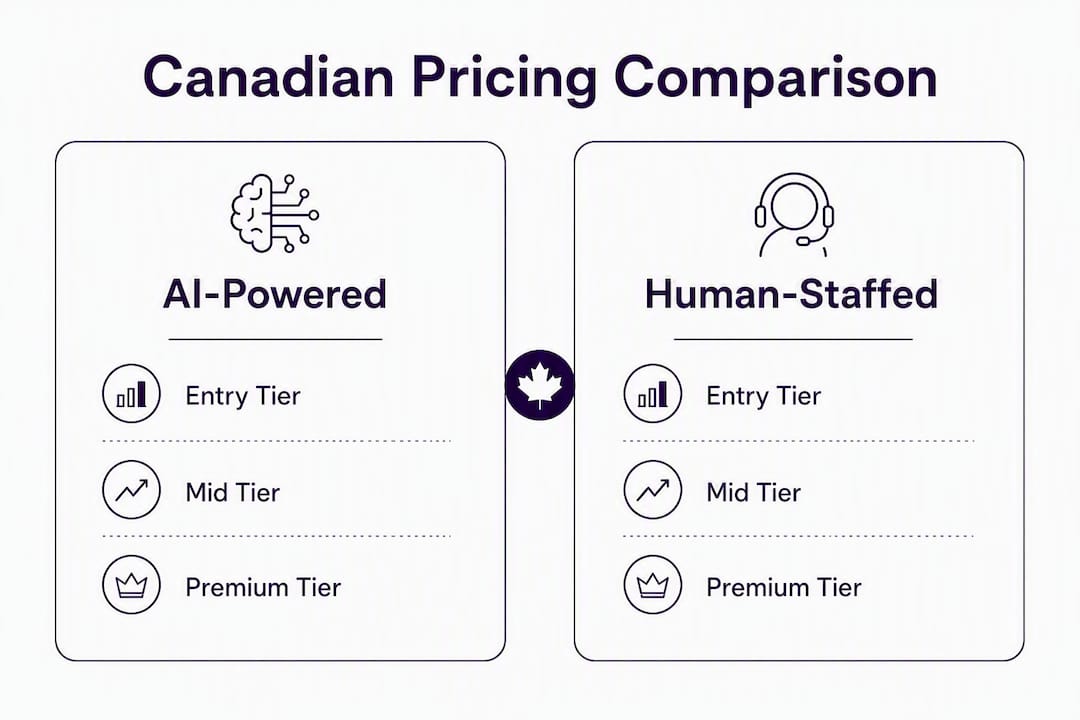
Published comparisons consistently show AI answering costs 50–70% less than live answering for equivalent monthly minutes. Here is how that plays out across tiers for Canadian SMBs.
AI-powered services
| Tier | Monthly cost (CAD) | Typical inclusions | Best for |
|---|---|---|---|
| Entry | $50–$150 | 100–300 min, basic call handling, SMS | Solo operators, low-volume service businesses |
| Mid | $150–$300 | 300–600 min, appointment booking, 1–2 integrations | Clinics, salons, contractors (medium volume) |
| Premium | $300–$500+ | Unlimited or high-cap minutes, full workflow automation, CRM/calendar/POS integrations, 24/7 | Multi-location businesses, high-volume appointment-driven SMBs |
Human-staffed / live answering services
| Tier | Monthly cost (CAD) | Typical inclusions | Best for |
|---|---|---|---|
| Entry | $250–$300 | 100–200 min, message-taking, basic triage | Low-volume professional services |
| Mid | $400–$900 | 200–500 min, appointment scheduling, bilingual option | Medical offices, legal, real estate |
| Premium | $900–$1,900 | 500+ min, dedicated agents, complex scripting, escalation | High-touch service firms, enterprise SMBs |
For context: most small businesses use a few hundred minutes per month, which results in live answering service costs significantly higher than AI options for the same volume. That gap is hard to ignore when the AI option also covers nights and weekends.
Conversion check: 300 calls/month at an average of two minutes each equals 600 minutes. At a mid-tier live rate of $1.50/min, that is $900/month. An AI plan covering the same volume might run $200–$250/month.
What actually drives differences between quotes?
Two vendors can quote the same business $300/month and $900/month for what looks like the same service. These are the line items that explain the gap.
- Call volume and average handle time: the two biggest levers. A business with 500 short calls pays very differently from one with 200 long ones, even at the same per-minute rate.
- Hours of coverage: business-hours-only coverage costs less than 24/7. After-hours and weekend coverage typically adds 20–40% to base rates for live services.
- Bilingual support (English/French): mandatory for many Canadian businesses serving Quebec or federal clients. Bilingual live agents typically cost more than English-only agents due to the required skill set.
- Integrations: connecting to a CRM, calendar, POS, or dispatch system adds setup cost and sometimes a monthly maintenance fee. Complex integrations (multi-system, custom API) can add $100–$300/month to the total stack.
- Industry specialisation: medical, legal, and financial verticals require trained agents or compliant AI workflows. PIPEDA-compliant data handling and privacy-law requirements add cost, particularly for clinics booking patient appointments.
- SLA and escalation rules: guaranteed response times and human escalation paths cost more than best-effort routing. A 30-second answer SLA is more expensive than a 60-second one.
- Number porting: transferring your existing business number to a new provider typically costs $25–$75 in Canada and can take 5–10 business days through the CRTC porting process. Some vendors absorb this; many do not.
Bilingual support and PIPEDA compliance are Canada-specific cost drivers that US-market pricing guides routinely omit. Budget for both if your business operates in Quebec or handles health information.
How do you estimate your monthly cost in CAD?
Use this formula as a starting point, then adjust with your real numbers.
Formula:
(calls/day × days/month × avg minutes) × per-minute all-in rate + platform fee + amortized setup + 25% integration buffer
Industry guidance recommends the 25% integration and tuning buffer for year-one budgeting, because setup, API maintenance, and early tuning reliably add to the headline subscription cost.
Three worked examples for Canadian SMBs
Example 1: Low-volume hair salon (Mississauga)
- Calls/day: 8 | Days/month: 26 | Avg minutes: 2.5 → 520 minutes/month
- AI per-minute all-in rate: $0.25/min → $130
- Platform fee: $99/month
- Amortized setup ($300 one-time ÷ 12): $25
- Integration buffer (25% of $130 + $99): $57
- Estimated month-one cost: ~$311/month CAD
After month one, once setup is amortized, the recurring cost drops to roughly $254/month.
Example 2: Medium-volume HVAC contractor (Calgary)
- Calls/day: 20 | Days/month: 26 | Avg minutes: 3 → 1,560 minutes/month
- AI per-minute all-in rate: $0.20/min → $312
- Platform fee: $149/month
- Amortized setup ($500 ÷ 12): $42
- Integration buffer (25% of $461): $115
- Estimated month-one cost: ~$618/month CAD
A live answering service for the same volume would likely run $900–$1,200/month, with no 24/7 coverage included.
Example 3: High-volume medical clinic (Toronto)
- Calls/day: 45 | Days/month: 22 | Avg minutes: 4 → 3,960 minutes/month
- AI per-minute all-in rate: $0.18/min → $713
- Platform fee: $299/month
- Amortized setup ($800 ÷ 12): $67
- Integration buffer (25% of $1,012): $253
- Estimated month-one cost: ~$1,332/month CAD
For a clinic, the ROI case for AI is strong: a single recovered appointment booking at $150–$300 per visit covers a significant portion of the monthly fee.
Where to pull your real numbers: check your phone provider's call detail records for volume and duration. Most Canadian carriers (Bell, Rogers, Telus) provide 90-day call logs in the account portal.
Human receptionists, managed AI, and developer platforms: what do they actually cost?
The sticker price on a developer voice-agent platform looks attractive until you add the full stack. Real all-in costs for production AI deployments typically land between $0.13 and $0.40 per minute once you add speech-to-text (STT), telephony, large language model (LLM) usage, and text-to-speech (TTS). Developer platform sticker rates often show $0.05–$0.09/min, but that is the LLM cost alone.
Hidden cost layers in a DIY AI stack
- STT (e.g., Deepgram, AssemblyAI): $0.02–$0.04/min
- Telephony (e.g., Twilio, Vonage): $0.01–$0.03/min per leg
- LLM inference (e.g., GPT-4o, Claude): $0.03–$0.10/min depending on token volume
- TTS (e.g., ElevenLabs, Azure Neural): $0.01–$0.03/min
- Integration maintenance and tuning: $50–$200/month ongoing
Add those up and a "cheap" developer platform often costs more than a managed service, with none of the vendor support.
Year-one total cost of ownership for AI receptionist projects commonly runs 1.5–2× the headline monthly fee when integration, tuning, and escalation costs are included. Budget accordingly.
When to choose each option
| Business profile | Best fit |
|---|---|
| High call volume, 24/7 coverage needed, appointment-driven | Managed AI (predictable cost, no payroll) |
| Nuanced client relationships, white-glove service, complex scripting | Human-staffed live answering |
| Variable volume, some after-hours, budget-conscious | Hybrid AI triage + human escalation |
| Technical team in-house, custom workflow requirements | Developer voice platform (with realistic TCO budget) |
Pro Tip: A cleaner way to compare quotes is cost per completed appointment or cost per captured lead, not cost per minute. This framing aligns price to revenue impact and exposes the real difference between a $200/month AI service that books 40 appointments and a $600/month live service that books 35.
Managed AI services are generally the better fit for Canadian SMBs precisely because predictable all-in pricing and vendor-operated telephony reduce operational risk. You are not debugging a Twilio webhook at 11 PM when a booking fails.
What hidden fees and add-ons push the bill higher?
Most buyers get surprised in months three to six, not month one. Vendors publish attractive headline plans while omitting per-minute overage and integration maintenance costs that only appear once you are live.
Common fees to verify before signing
- Setup and onboarding fee: $0–$500+. Often waived on annual contracts, but confirm in writing.
- Number porting: $25–$75 per number in Canada. Ask whether the vendor handles the CRTC porting process or whether you manage it.
- Overage rates: the most dangerous line item. A plan with $0.50/min overage on a 500-minute cap can add $150+ in a busy month. Always ask for the overage rate in writing.
- Bilingual or holiday surcharges: French-language support and statutory holiday coverage often carry surcharges of 15–30%.
- Human escalation: if the AI cannot handle a call and routes to a live agent, that minute is often billed at a higher rate.
- Calendar, payment, or dispatch integrations: some vendors charge per integration per month ($15–$50 each). A business connecting a calendar, a CRM, and a POS can add $45–$150/month in integration fees alone.
- SMS confirmations and reminders: often bundled in higher tiers, but billed per-message on entry plans.
Contract red flags
- Auto-renew clauses with 60–90 day cancellation notice windows
- Punitive early-termination fees (more than one month's fee)
- SLA credits that require you to file a formal dispute within 48 hours of an incident
- Vague overage language ("additional usage billed at standard rates" with no rate stated)
Quick negotiation tips
- Ask for a 30-day pilot before committing to an annual contract.
- Request that setup fees be waived or credited against month-one billing.
- Negotiate an overage cap: agree that overages will not exceed a fixed dollar amount per month regardless of volume.
What questions should you ask vendors before signing?
Walk into every demo with this checklist. Vendors who cannot answer these questions clearly are telling you something.
Questions to ask on the demo
- What is the exact overage rate, and is it per-minute or per-call?
- Which integrations are included in the base plan, and which cost extra?
- What is the SLA for answer time, and what credit do I receive if you miss it?
- Where is call data stored, and is it PIPEDA-compliant?
- What happens to my calls if your platform goes down?
- What is the minimum contract term, and what does early cancellation cost?
- Is bilingual (English/French) support included or a paid add-on?
- How long does onboarding take, and what do I need to provide?
Red flags to watch for
- Overage math is vague or the rep cannot give you a written rate
- No clear integration plan for your existing calendar or CRM
- Escalation paths are undefined ("we handle it" is not an SLA)
- Data residency is outside Canada with no PIPEDA compliance documentation
- No pilot period offered before annual commitment
What to have ready for an accurate quote
- Three months of call logs (volume, duration, time of day)
- List of systems to integrate (CRM name, calendar platform, POS if applicable)
- Average ticket value or appointment value (needed for ROI modelling)
- Current monthly spend on missed calls or after-hours answering
For comparing AI receptionist approaches before your demos, a side-by-side of managed AI versus other options can sharpen the questions you ask.
What does a Dexcoretechnologies AI receptionist package look like?
Dexcoretechnologies is a Canadian-built managed AI receptionist platform designed for appointment-driven SMBs: restaurants, clinics, contractors, and service businesses. The platform handles inbound calls 24/7, books appointments in real time, captures lead details, sends SMS confirmations, and routes requests through automated workflows without human intervention.
Sample starter package components
- 24/7 AI call answering with no per-minute overage on standard plans
- Real-time appointment booking integrated with your existing calendar
- SMS confirmations and reminders sent automatically after booking
- CRM, dispatch, or POS integration (included in onboarding)
- Team notifications for urgent calls or escalations
- Industry-specific workflow design (restaurant, clinic, contractor, transport)
- Professional onboarding and setup included in the service package
Illustrative ROI example: mid-volume contractor
A Calgary HVAC contractor takes 20 calls per day. Before Dexcoretechnologies, roughly 30% of after-hours calls went unanswered. At an average job value of $400 and six missed calls per day after hours, that is approximately $2,400 in potential daily revenue at risk. Recovering even two booked jobs per week from previously missed calls adds roughly $3,200/month in revenue against a monthly platform fee well under $500.
Dexcoretechnologies has observed high ROI based on recovered missed calls and automated booking across its customer base. The actual figure for any business depends on call volume, average ticket, and current missed-call rate.
What does onboarding and setup look like in Canada?
Most managed AI receptionist services go live in one to three weeks for straightforward setups. Complex integrations or number porting can extend that to four to six weeks.
Typical milestones from demo to live service
- Demo and scoping call (Day 1–3): vendor reviews your call logs, integration requirements, and workflow needs. You receive a written quote with overage rates and SLA terms.
- Contract and onboarding kickoff (Day 3–7): you sign, provide API keys or calendar access, and confirm your business number for porting or forwarding.
- Workflow build and integration setup (Day 7–14): the vendor configures call flows, scripts, booking logic, and integrations. You review and approve the workflow.
- Pilot period (Day 14–21): the service goes live on a subset of calls or after-hours only. You monitor booking accuracy and escalation behaviour.
- Full launch and SLA activation (Day 21–30): full call volume transferred. SLA credits and uptime guarantees take effect.
What the business must provide
- Business phone number (for porting or call forwarding setup)
- Calendar or booking system API access
- CRM credentials if integration is included
- Approved call script or FAQ document for the AI to reference
- Designated contact for escalation testing during the pilot
What affects speed
Complex multi-system integrations (CRM + calendar + POS simultaneously) add one to two weeks. Number porting through the CRTC process adds five to ten business days and should be initiated at contract signing, not after. Businesses with straightforward setups, a single calendar integration and call forwarding, can often go live in under two weeks.
Minimum commitments vary by vendor. Most managed AI services require a one-month minimum; annual contracts typically unlock lower monthly rates and waived setup fees.
Key takeaways
AI-powered virtual receptionist services cost 50–70% less than human-staffed live answering for equivalent monthly minutes, making managed AI the default choice for most Canadian SMBs with predictable call volume.
| Point | Details |
|---|---|
| AI vs. human cost gap | AI plans cost substantially less per month than human-staffed services for comparable call volumes. |
| Year-one TCO is higher than the headline | First-year total costs often exceed the headline monthly subscription due to setup, integrations, and tuning expenses. |
| Overage rates are the biggest trap | Always get the overage rate in writing; a $0.50/min overage on a busy month can add $150+ to a plan that looked affordable. |
| Model your real month, not the vendor's | Pull three months of actual call logs before comparing quotes; vendor example months are designed to favour their plan. |
| Dexcoretechnologies for Canadian SMBs | Dexcoretechnologies offers a managed AI receptionist package with 24/7 coverage, booking automation, and Canadian onboarding support. |
When would I choose AI over human for a Canadian SMB?
The conventional wisdom is that AI handles routine calls and humans handle complex ones. That framing is too simple, and it leads buyers to over-invest in human services they do not need.
The real question is whether the value of a call is determined by the conversation itself or by the outcome it produces. For appointment-driven businesses, a clinic booking a follow-up, a contractor scheduling an estimate, a restaurant confirming a reservation, the outcome is a booked slot. The conversation is a means to that end. An AI that books the appointment reliably at 2 AM is more valuable than a human agent who takes a message and calls back the next morning.
Where human receptionists still win: calls where the relationship is the product. A law firm where clients expect to speak with a named paralegal, a financial adviser whose clients call during market volatility, a funeral home. In those contexts, the warmth and judgment of a live person are not a premium add-on; they are the service.
A practical rule of thumb: if your average call results in a booking, a confirmation, or a standard information request, AI handles it better and cheaper. If your average call requires judgment, empathy, or relationship continuity, budget for human support. Most Canadian SMBs find that 70–80% of their inbound calls fall into the first category.
For quick budgeting: take your monthly call volume, multiply by $0.25/min all-in for managed AI or $1.00–$1.50/min for live answering, and add a 25% buffer for year-one setup. That gives you a defensible budget number before you talk to a single vendor.
Dexcoretechnologies: what to bring to your demo
Missed calls are not just an inconvenience for Canadian SMBs. They are a direct revenue leak, and for appointment-driven businesses, every unanswered call after hours is a booking that went to a competitor.

Dexcoretechnologies gives Canadian restaurants, clinics, contractors, and service businesses a 24/7 AI answering service that books appointments, captures leads, sends SMS confirmations, and routes requests through automated workflows, all without a human receptionist on the clock. The platform integrates with your existing calendar, CRM, or POS, and professional onboarding is included in every package. There is no developer stack to maintain and no per-minute telephony bill to reconcile at month-end.
For service businesses and contractors, the ROI case is straightforward: calculate the revenue from two or three recovered after-hours bookings per week and compare it against the monthly platform fee.
To get an accurate quote, bring your three-month call log, your average job or appointment value, and a list of the systems you need to integrate. Book a demo at dexcoretechnologies.ca and walk away with a written quote, overage rates included.
Sources and further reading
Research and authoritative resources used in this guide:
- Virtual receptionist cost overview — Alice Receptionist
- PIPEDA: Personal Information Protection and Electronic Documents Act — Office of the Privacy Commissioner of Canada
- Dialed Sales — lead capture tracking for recovered calls
- Best booking software for Canadian service businesses — Dexcoretechnologies Blog
This article is general information for budgeting and purchasing research. Pricing ranges reflect published market data and may vary by vendor, contract terms, and business requirements. Confirm current rates and contract terms directly with any provider before signing.