
Dexcoretechnologies is the best appointment booking solution for Canadian businesses that need an AI receptionist, 24/7 call coverage, and workflow automation built for PIPEDA compliance. If your business loses leads to missed calls after hours, or your front desk spends half the day confirming appointments manually, the right software does more than hold a calendar slot. It answers the phone, books the appointment, routes the request, and sends the confirmation — without a human in the loop.
Who it's best for: Clinics, contractors, restaurants, and service businesses in Manitoba and across Canada that handle inbound call volume and need bookings captured around the clock.
Standout capability: Dexcoretechnologies's AI receptionist handles natural-language calls end-to-end, from greeting to confirmed booking, with workflow automation that routes requests, notifies staff, and syncs to your calendar in real time.

Next step: Book a demo to see the AI receptionist handle a live call scenario for your business type.
Table of Contents
- How do you choose appointment booking software in Canada?
- What features does appointment booking software actually need?
- Why does Dexcoretechnologies fit this brief?
- What does deployment actually cost, and how long does it take?
- What security and compliance proof should you require?
- Key takeaways
- The gap most buyers miss
- Ready to see Dexcoretechnologies handle your calls?
- Sources and further reading
How do you choose appointment booking software in Canada?
The single most important criterion is not price. It is whether the platform can handle your actual call and booking workflow, prove PIPEDA readiness, and support your team through setup without a months-long gap in operations. Evaluating on TCO and compliance readiness rather than sticker price is the standard that separates a good procurement decision from an expensive mistake.
Procurement checklist
Rate every vendor on these axes before shortlisting:
- AI receptionist capability — does it handle natural-language voice calls, not just web forms?
- Workflow automation depth — prebuilt templates, custom flows, dispatch routing?
- Integrations — Google Calendar, Outlook, CRM, POS, dispatch, API/webhooks?
- Pricing model — per-seat, per-location, flat-rate, or pay-per-use?
- Onboarding and migration support — is professional setup included or extra?
- Canadian availability — local phone numbers, Canadian data residency options?
- SLA and support — response time commitments, after-hours support, escalation path?
Vendor questions to ask
- Where is customer data stored, and can you confirm Canadian data residency?
- What is your PIPEDA compliance posture, and do you have a written statement?
- Do you hold ISO 27001 or SOC 2 certification? Can you share the audit report?
- What is the AI receptionist's fallback when it cannot understand a caller?
- How does the system handle double-booking across multiple staff or locations?
- What integrations are native versus requiring a third-party connector?
- What does your onboarding process look like, and how long does it typically take?
- Is professional migration support included, or is it billed separately?
- What is your uptime SLA, and how do you communicate outages?
- What call volume does your pricing model assume, and what happens when you exceed it?
- Can you provide a reference from a Canadian business in our sector?
- What does a 30–90 day pilot look like, and what are the exit conditions?
Red flags: vague answers on data residency, no written PIPEDA statement, AI that cannot describe its fallback behaviour, and onboarding described as "self-serve" with no professional support option.
Pro Tip: Run a live test call during the demo. Give the vendor's AI receptionist a realistic scenario — a caller asking to reschedule, a caller with an unusual request — and watch how it handles ambiguity. A system that breaks on edge cases will break on your customers.
What features does appointment booking software actually need?
The features that matter for AI-plus-booking workflows are not the same ones that matter for a simple calendar link. Prioritise AI call handling, calendar sync, workflow automation, and integration depth — in that order.
Core feature breakdown
| Feature | What it does | Operational benefit |
|---|---|---|
| AI receptionist / NLP call handling | Parses caller intent and books in natural language | Captures leads 24/7 without staff involvement |
| Calendar sync (Google, Outlook, iCal) | Syncs availability in real time across platforms | Prevents double-bookings automatically |
| Workflow automation | Triggers actions (notifications, routing, follow-ups) on booking events | Removes manual handoffs between booking and operations |
| SMS and email confirmations | Sends instant confirmations and reminders | Reduces no-shows; SMS reminders cut no-show rates measurably |
| CRM / POS / dispatch integrations | Passes booking data to downstream systems | Keeps records consistent without re-entry |
| API and webhooks | Enables custom workflow triggers | Supports business-specific automation not covered by prebuilt templates |
| Reporting and analytics | Tracks booking volume, no-show rates, call outcomes | Surfaces ROI evidence and operational gaps |
| Mobile app (staff and client-facing) | Manages bookings from any device | Keeps field staff and clients in sync |
AI voice booking — where a caller schedules using natural speech and receives a confirmation without touching a form — is the feature that separates a true AI receptionist from a basic online booking page. Treating the AI agent as a digital employee that owns workflows end-to-end is what makes the difference between a tool that answers calls and one that actually runs your front desk.
For integrations, the practical minimum is Google Calendar or Outlook sync, one CRM connector, and either a native API or webhook support for custom flows. Businesses evaluating workflow automation depth should ask whether prebuilt templates exist for their vertical — restaurants, clinics, and contractors each have distinct routing needs.
UX and mobile expectations:
- Staff app should show the live calendar, allow manual overrides, and push notifications for new bookings
- Client-facing booking should work on mobile without an app download
- Admin dashboard should surface call logs, booking history, and missed-call reports in one view
Why does Dexcoretechnologies fit this brief?
Dexcoretechnologies meets the procurement checklist because it combines an AI receptionist that handles live inbound calls with workflow automation that routes, notifies, and syncs — all configured for Canadian businesses and available with Canadian phone numbers.
Feature mapping:
- 24/7 AI call answering: handles inbound calls in natural language, books appointments without staff involvement, and captures caller details automatically
- Calendar sync: integrates with Google Calendar and Outlook; prevents double-bookings in real time
- Workflow automation: prebuilt and custom flows for restaurants, clinics, contractors, and service businesses — including dispatch routing and team notifications
- Integrations: CRM, POS, dispatch, and API/webhooks for custom triggers
- SMS and email confirmations: automated reminders sent on booking and before appointments
- Canadian phone numbers and data options: available for Manitoba and across Canada
Dexcoretechnologies reports a potential ROI for businesses that replace manual call handling and booking with its AI receptionist and automation workflows. For service businesses where a missed call is a missed job, that figure reflects the compounding value of 24/7 coverage across call volume that would otherwise go to voicemail.
Onboarding includes professional setup, integration configuration, and a structured pilot period. You are not handed a login and a help centre link.
What does deployment actually cost, and how long does it take?
TCO is shaped by onboarding complexity, integration count, and call volume — not just the monthly licence fee. A flat-rate subscription that looks affordable can become expensive when professional setup, API connectors, and per-use call charges are added.
Typical cost components
| Cost category | What to budget for |
|---|---|
| Subscription licence | Per-seat, per-location, flat-rate, or pay-per-use; pricing models vary significantly by vendor |
| Professional onboarding | Setup, configuration, and workflow design; included or billed separately |
| Integration and migration | CRM/calendar/POS connectors; data migration from legacy systems |
| Ongoing support | SLA tier, training, and account management |
| Call volume overages | Per-minute or per-call charges above plan thresholds |
Deployment timeline
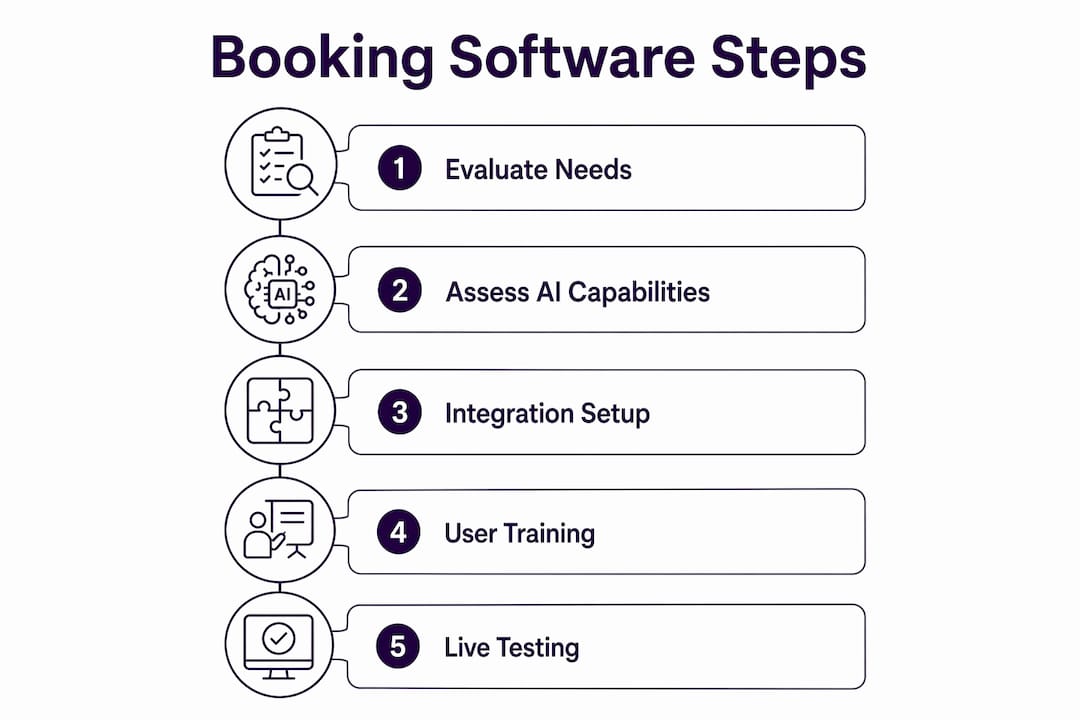
- Discovery (Week 1–2): requirements gathering, integration audit, workflow mapping
- Pilot setup (Week 2–4): AI receptionist configuration, calendar sync, test call scenarios
- Soft launch (Week 4–6): live with limited call volume; staff training and feedback loop
- Full rollout (Week 6–10): all locations and integrations live; reporting baseline established
- Optimisation (Ongoing): workflow refinement based on call logs and booking data
Professional onboarding and migration support materially reduces configuration errors and shortens the gap between go-live and full operational confidence. Businesses that skip this step typically spend weeks correcting settings that a structured setup would have caught on day one.
Budgeting checklist:
- Include setup and migration in your year-one cost estimate, not just the licence
- Forecast call volume and confirm overage pricing before signing
- Ask whether workflow customisation is included or billed as professional services
- Plan for a 30–90 day pilot before committing to a full-term contract
What security and compliance proof should you require?
PIPEDA readiness and data residency are non-negotiable for Canadian businesses in health, legal, financial, and regulated service sectors. A vendor's marketing page saying "GDPR compliant" is not a PIPEDA statement.
Compliance checklist:
- Written PIPEDA compliance statement, not just a reference to GDPR
- Data residency confirmation: where is data stored, and can it stay in Canada?
- Encryption at rest and in transit (minimum AES-256 and TLS 1.2+)
- ISO 27001 or SOC 2 Type II certification with a shareable audit summary
- Breach notification policy: timeline and process for notifying affected parties
- Access controls: role-based permissions, audit logs, and admin override capabilities
- Data retention and deletion policy: how long is call and booking data kept?
Pro Tip: Ask the vendor for their most recent SOC 2 report or ISO 27001 certificate, not just a checkbox on a compliance page. If they cannot produce it within 48 hours, treat that as a red flag. For medical offices, also review the PIPEDA requirements for health data before finalising any contract.
For workflow automation partners, Right Flow Solutions provides Canadian-based consultancy on automation design and compliance integration for businesses that need help mapping their data flows before vendor selection.
Key takeaways
Dexcoretechnologies is the strongest fit for Canadian businesses that need an AI receptionist, 24/7 call coverage, and workflow automation with PIPEDA readiness built in.
| Point | Details |
|---|---|
| Evaluate on TCO, not price | Include setup, migration, integrations, and call overages in your year-one estimate. |
| AI receptionist is the differentiator | Platforms that handle live voice calls end-to-end outperform web-only booking tools for call-heavy businesses. |
| PIPEDA proof is mandatory | Require a written compliance statement, data residency confirmation, and a SOC 2 or ISO 27001 certificate. |
| Plan a 30–90 day pilot | Scope the pilot to your real call volume, key integrations, and at least one vertical-specific workflow. |
| Dexcoretechnologies meets the brief | AI receptionist, 24/7 coverage, workflow automation, Canadian phone numbers, and strong ROI potential |
The gap most buyers miss
Most businesses shopping for appointment booking software focus on the booking page. They compare calendar UIs, check whether the confirmation email looks professional, and ask about pricing tiers. What they rarely test is what happens when a customer calls at 9 PM on a Tuesday.
That is where the real operational gap lives. A missed call in a service business is not just a missed appointment — it is a lead that called your competitor next. The platforms that win on a feature comparison spreadsheet often lose on the one scenario that matters most: a real caller with a real question, outside business hours, expecting a real answer.
The businesses that get the most out of AI receptionist deployments are the ones that treat the system as a front-desk employee with defined responsibilities, not a chatbot bolted onto a booking form. That means configuring it with actual call scripts, real fallback paths, and workflow triggers that match how the business actually operates. Professional onboarding is not a luxury in that context. It is the difference between a system that works on day one and one that gets abandoned after three weeks because the AI kept transferring callers to a voicemail box nobody checked.
Ready to see Dexcoretechnologies handle your calls?
Businesses that replace manual call handling with Dexcoretechnologies's AI receptionist stop losing leads to after-hours voicemail — and free their staff to focus on the work that actually requires a human.

A Dexcoretechnologies pilot includes a configured AI receptionist for your business type, calendar and CRM integration setup, SMS confirmation and reminder activation, and a structured 30–90 day test against your real call volume. For service businesses and restaurants, vertical-specific workflow templates are included from day one. You get professional onboarding, not a self-serve setup guide.
Request a demo at dexcoretechnologies.ca and tell the team your call volume, your current booking process, and which integrations you need. They will scope a pilot that fits your operation.
Sources and further reading
The claims in this guide are grounded in published vendor documentation, industry research, and Dexcoretechnologies's own product specifications. Use these sources when validating vendor claims during your procurement process.
- WaitWell: 10 Best Appointment Scheduling Software in 2026 — TCO evaluation framework and compliance readiness criteria for Canadian buyers
- SimplyBook.me: Feature and integration documentation — AI voice booking, integration standards, and security certification benchmarks
- Dexcoretechnologies: AI Receptionist for Service Businesses — product capabilities, workflow templates, and demo request
- Dexcoretechnologies: SMS appointment confirmation guide — no-show reduction strategies and reminder configuration
- Dexcoretechnologies: AI receptionist for medical offices — PIPEDA and health-sector compliance considerations
- Streamline AI — AI automation expertise for businesses evaluating advanced agent workflows
- Right Flow Solutions — Canadian workflow consultancy for automation design and compliance mapping
When evaluating vendors, cross-reference their compliance claims against the Office of the Privacy Commissioner of Canada's PIPEDA guidance at priv.gc.ca — that is the primary source, not a vendor's marketing page.