
Yes — an AI receptionist can push inbound, missed, and lead notifications straight into Slack channels or direct messages, giving your team real-time visibility on every call. A well-built alert includes caller details, a summary or recording link, and a path back to the CRM record so someone can act immediately. Which integration path you pick, native app, webhook, automation platform, or a managed setup, depends mostly on how much technical capacity your team has to spare.
TL;DR:
- Sending call notifications into Slack can include caller details, summaries, or recordings, enriched with CRM data for meaningful, actionable alerts.
- Typical integration methods are native apps for quick setup, webhooks for control, automation platforms for complex workflows, and managed services for scalability.
- Use dedicated channels, buttons, and message batching to ensure alerts are timely, organized, and helpful, with strict role-based access for sensitive data.
- Perform thorough testing with sample payloads and monitor for common issues like expired tokens or duplicate messages before full deployment.
- Vendor-supported templates simplify setup, especially for restaurants and service businesses, enabling rapid, error-free integration without custom plumbing.
Table of Contents
- How does an AI receptionist send call events to Slack?
- Which Slack integration setup should you choose?
- What should a Slack call alert actually include?
- Is it safe to send call data into Slack?
- How do you test and maintain a Slack notification workflow?
- What running this looks like day to day
- Get Slack-ready call notifications without building the pipeline yourself
- Where to go for exact setup steps
- Sources
- FAQ
How does an AI receptionist send call events to Slack?
Every call generates one of a handful of events: incoming, answered, missed, voicemail left, or appointment booked. Each event carries a payload of structured fields, and what shows up in that payload determines how useful the eventual Slack message actually is.
A typical payload includes:
- Caller name and phone number (when identifiable)
- Timestamp and call duration
- A transcript link or short AI-generated summary
- A recording link stored in secure hosting, not embedded audio
- Lead tags or intent categories (booking request, complaint, sales inquiry)
The flow generally runs in stages. The AI receptionist detects the event and fires it to a webhook or API endpoint. From there, it either goes straight to a Slack incoming webhook or Slack app, or it passes through middleware, an automation platform like Zapier, Make, or n8n, that enriches the data first. That enrichment step matters more than most teams expect: a raw "missed call from 604 555 0134" tells you nothing, but a message that maps the number to an existing CRM contact, appends a lead score, and flags "third missed call this month" gives a manager something to act on. Aircall's Slack integration follows this exact pattern, matching call activity to CRM records before the summary ever hits a channel.
Which Slack integration setup should you choose?
Start with whichever option matches your team's technical bandwidth, not the one with the most features on paper. Overbuilding a webhook pipeline for a five-person shop usually costs more in maintenance than it saves in flexibility.
- Native Slack app. If your phone or receptionist vendor publishes one, installation is usually a few clicks, with OAuth permissions scoped to posting messages and reading channel lists. JustCall's Slack marketplace listing is a good example: real-time call and SMS alerts, voicemail playback, and slash commands, all without touching a line of code. This route suits teams that want speed over customization.
- Direct webhook. You receive the call event as JSON and map its fields into Slack's Block Kit format yourself. This gives full control over layout and content but comes with pitfalls: authentication tokens expire, vendors change their payload structure without much warning, and duplicate messages creep in if retries aren't handled cleanly.
- Automation platform. A typical recipe looks like: trigger on a missed-call event, format the message with caller and CRM fields, post to Slack, then create or update a CRM contact in the same run. This is the most common fallback when a vendor has no Slack app, and it works well even for routing through missed call alert workflows that need to reach a CRM step, too.
- Managed integration. A vendor-led setup, like the templates DEXCORE Technologies builds for new lead notifications, makes sense once call volume or compliance requirements outgrow a DIY webhook. You trade some control for onboarding support and a maintained pipeline.
Run through a short checklist before committing: how fast do you need this live, how much control over message content matters to you, do you need CRM enrichment on top of the raw event, are there compliance constraints on where call data lives, and who owns the integration when something breaks six months from now.
Pro Tip: Pilot with one channel and one event type, usually missed calls, before wiring in appointment bookings or voicemail. It's far easier to debug one message format than five at once.
What should a Slack call alert actually include?
A notification earns its place in a channel by giving someone enough to act without opening another tab. That means an event label, caller name and number, a short transcript or AI summary, a link to the recording or CRM record, a priority tag, and a suggested next action, not just a fact dump.
Routing matters as much as content. A dedicated #missed-calls channel keeps urgency separate from general chatter, a private manager channel works well for coaching conversations around call quality, and direct messages suit on-call escalation where someone needs to respond within minutes, not hours. Thread-based follow-up keeps a single call's history, callback attempt, voicemail, eventual booking, contained in one place instead of scattered across a channel.
Formatting decisions carry weight too:
- Use Slack Blocks rather than plain text so buttons for "acknowledge," "assign," or "create task" sit right inside the message.
- Batch or aggregate bursts of activity (a slow morning followed by ten calls in fifteen minutes) so the channel doesn't turn into noise nobody reads.
- Reserve DMs for genuinely time-sensitive events; everything else belongs in a channel with a searchable history.
Teams that treat Slack as an actual control plane, adding assignment buttons and follow-up workflows instead of just dropping alerts, see faster lead response and better accountability than those running plain notification feeds with no action attached.
Is it safe to send call data into Slack?
Call transcripts and recordings count as personal data, and Slack channels are not automatically the right place to store them long-term. The safer pattern is linking out to secure recording storage rather than pasting audio or full transcripts directly into a message.
A few checks are worth doing before rollout:
- Restrict sensitive call categories (health-related, financial, or complaint calls) to private channels with a documented access list.
- Align Slack's message retention settings with whatever retention policy governs your phone system, so one doesn't outlive the other.
- Confirm your call recording and transcription setup already meets consent requirements before summaries start appearing in chat.
- Apply role-based access to who can see full transcripts versus a summary-only view, and review that access list periodically.
None of this requires exotic tooling, mostly discipline about who sees what and for how long.
How do you test and maintain a Slack notification workflow?
Test before go-live, not after the first real missed call reveals a broken mapping.
- Fire a synthetic webhook with a sample payload into a test channel and confirm every field lands where expected.
- Verify the Slack app's permissions cover posting to the target channels, including any private ones.
- Run an end-to-end smoke test: trigger a real call event, confirm delivery, then check the CRM record it should have touched.
- Watch for the usual failure points once live: expired auth tokens, malformed JSON when a vendor updates their payload schema, timezone mismatches on timestamps, and duplicate posts from retry logic.
- Set up delivery logs and alerting so a failed post doesn't just vanish silently; a retry policy or dead-letter queue catches what falls through.
Assign clear ownership for schema changes. When a vendor updates its payload format, something like connecting Slack to an AI receptionist via email-to-Slack routing is a reasonable fallback while a broken webhook gets fixed, and a periodic review keeps event types relevant as your workflow evolves.
What running this looks like day to day
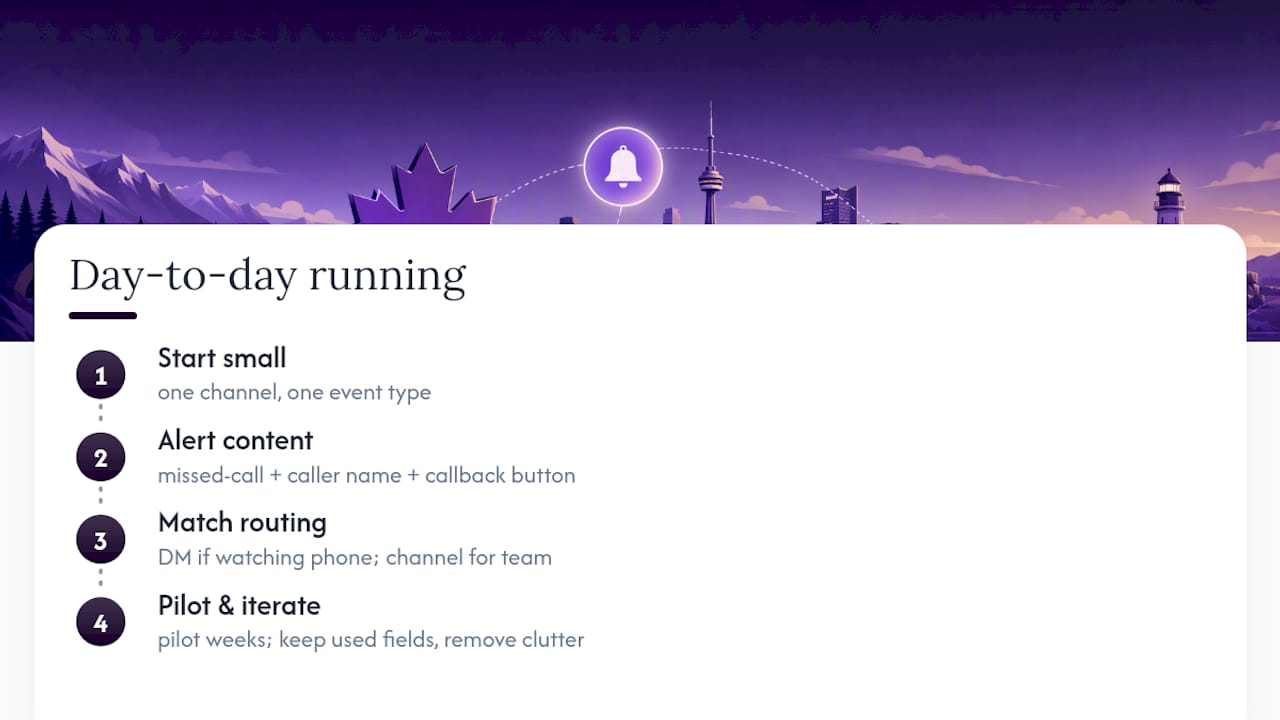
The operations managers who get the most out of this setup usually start small: one channel, one event type, then expand. A missed-call alert that lands in #missed-calls with a caller's name and a callback button saves the five minutes someone used to spend digging through a call log. Multiply that across a week and the time saved is real.
Match the routing pattern to who's actually on call. A DM escalation only works if someone is watching their phone; a channel works better across a rotating team. Pilot before you scale, and let the first few weeks tell you which fields actually get used and which ones just add clutter.
— James
Get Slack-ready call notifications without building the pipeline yourself
Building the webhook, mapping the JSON fields, and testing for duplicate messages takes real time, time most operations managers would rather spend on the calls themselves, not the plumbing behind them. A vendor can handle that setup as part of an AI receptionist service, pairing call answering with workflow automation that posts structured alerts, caller details, summaries, CRM links, straight into your team's Slack channels from day one.

Instead of stitching together an automation platform and troubleshooting field mappings on your own, you get pre-built templates for missed-call routing, new lead capture, and appointment bookings, plus onboarding support to get it running correctly the first time. Restaurants and service businesses in particular tend to see the fastest payoff, since missed calls there translate almost directly into lost bookings. If you run a restaurant, take a look at the AI receptionist built for restaurant call handling; if your business runs on scheduled jobs or appointments, the service business solution covers similar ground with dispatch and CRM sync built in. Either way, the next step is the same: book a demo and see your own call data land in Slack before you commit to anything.
Where to go for exact setup steps
For hands-on configuration, check JustCall's Slack marketplace listing for native app permissions, and DEXCORE's guide on on-call scheduling automation for pairing alerts with assignment logic. Teams building CRM-linked workflows may also find Zoho CRM automation services useful for the contact-creation side.
Sources
- Aircall + Slack + CRM: Building a Unified Communication Stack for…
- JustCall for Slack (Slack marketplace)
FAQ
Which call events should trigger a Slack notification?
Inbound, missed, voicemail, and appointment-booked events cover most operational needs; adding a call summary event on top gives managers a quick way to review outcomes without pulling a full transcript.
Can Slack alerts create a CRM contact automatically?
Yes, when the notification workflow includes an enrichment or automation step, a missed call can trigger both a Slack alert and a new or updated CRM contact in the same run.
How do I stop Slack call alerts from flooding a channel?
Batch bursts of activity into a single summary message, route low-priority events to a digest, and reserve immediate individual alerts for genuinely time-sensitive calls like missed bookings.
Is it safe to post call recordings directly in Slack?
Link to recordings stored in secure hosting rather than embedding audio files, and keep sensitive call categories restricted to private channels with a documented access list.
Does DEXCORE support Slack notifications for missed calls?
Yes, an AI receptionist service can include pre-built templates for routing missed-call and lead notifications into Slack, alongside CRM sync and on-call scheduling automation.