
Yes, an AI receptionist solution can answer every inbound call, qualify the caller, book the appointment, and write a clean record into your CRM without a human touching the phone. Providers like Dexcoretechnologies deliver this now: success looks like a confirmed appointment, an SMS confirmation sent before the call ends, and a new or updated CRM contact, with fewer missed calls every week.
TL;DR:
- AI call handling can significantly reduce missed calls by answering immediately, capturing key caller information, and booking appointments within seconds.
- Testing soft-lock functionality with simultaneous callers is essential to prevent double-booking and ensure the system accurately reserves appointment slots.
- Proper setup requires dedicated phone numbers, native calendar and CRM integrations, and clear escalation rules to handle complex inquiries effectively.
- Using webhook or API-based integrations improves lead data quality and reduces manual cleanup compared to email summaries, ensuring faster and more accurate data syncs.
- Starting with a pilot on your highest-volume line allows validation of core metrics and avoids common setup pitfalls like vague escalation rules and unlogged SMS consent.
Table of Contents
- What happens on every inbound call
- Why speed-to-lead and coverage change the math
- How do you set up phone lead capture correctly?
- Which integrations protect lead quality?
- Where should you actually start with this?
- Ready to stop losing calls to voicemail?
- Sources
What happens on every inbound call
The mechanics matter more than the marketing here, because a missed step is a missed lead. When a call comes in, the system answers immediately and uses natural-language understanding to figure out why the person is calling, whether it's a booking, a question about pricing, or an emergency.
From there, the flow follows a consistent pattern:
- The AI runs through scripted intake fields, capturing name, phone number, service type, and urgency.
- It checks calendar availability in real time and applies a soft lock, typically 60 to 90 seconds, holding the slot so two callers can't grab the same appointment window.
- Once the caller confirms, the system writes the event to the calendar, creates or updates the CRM contact, and sends an SMS or email confirmation before the call disconnects.
- If the request is complex, ambiguous, or touches something regulated (certain medical or legal intake questions, for instance), the AI escalates to a human rather than guessing.
Most calls resolve in under three minutes. The bigger structural advantage is concurrency: a live receptionist can only handle one caller at a time, but unlimited concurrent call handling means a rush of calls after a promotion or during a Monday morning surge doesn't push anyone to voicemail.
Pro Tip: Ask any provider you evaluate to show you a live soft-lock test with two simultaneous callers trying to book the same slot. If the second caller doesn't get redirected to the next open time, that's a booking engine you don't want running your calendar.
Why speed-to-lead and coverage change the math
Phone leads convert at meaningfully higher rates than web form submissions, mostly because a live conversation resolves objections and locks in commitment on the spot. The catch is that this only holds if someone actually answers, and most missed calls never call back. Speed-to-lead is the variable that decides whether that phone lead becomes revenue or just a line in your call log.
After-hours and lunch-rush coverage is where the leakage tends to hide. A clinic or contractor that closes at 5 PM is invisible to anyone calling at 7 PM, and 24/7 AI call handling closes that gap without adding a night-shift salary.
The cost shape is also different. A live answering service or an after-hours receptionist usually means per-call fees or a salaried position; an AI subscription tends to run flat and predictable, which makes budgeting easier for a seasonal business. Ovox's after-hours ROI calculator is a decent gut-check for comparing the two cost structures against your own call volume.
Track these numbers weekly:
- Calls answered versus calls received (your true missed-call rate)
- Appointments booked per 100 calls
- Transfer rate to a human agent
- Conversion from booked appointment to completed job or visit
- Average revenue per booked appointment
A quick example: if a service business misses 15 calls a month and even a third of those would have booked at an average ticket of $200, that's roughly $1,000 in recovered revenue monthly, often more than the subscription itself. Exoserva's ROI breakdown walks through similar missed-call math using real call logs, which is worth doing with your own numbers before you commit to a plan.
How do you set up phone lead capture correctly?
Getting the technology right matters less than getting the setup right. A poorly configured AI receptionist books the wrong slots, annoys callers, or silently drops leads into an inbox nobody checks.
- Set up your dedicated phone number and SMS channel, registering for 10DLC where required, and capture consent for text confirmations at the start of the call.
- Connect native or API-based calendar and CRM integrations rather than settling for an email-summary setup, which should only ever be a temporary bridge.
- Design your intake fields around the minimum data needed to route and qualify a caller: name, callback number, appointment type, and urgency level.
- Configure the soft-lock window and run test scenarios with two or three simultaneous callers to confirm nobody double-books the same slot.
- Write clear escalation rules (who gets notified, by what channel, and how fast) for calls the AI shouldn't resolve alone.
- Run a 30 to 90 day monitoring window, reviewing call volume, booking rate, and escalation frequency every week rather than waiting for a monthly report.
Pro Tip: Don't skip the consent step for SMS confirmations. Undocumented consent is the single most common compliance gap operations teams discover after the fact, usually during an audit, not before one.
Businesses evaluating service-focused AI receptionist setups often find the intake-field design takes longer to get right than the technical integration itself, because it forces you to decide what actually counts as a qualified lead.
Which integrations protect lead quality?
The integration choice you make on day one determines how much manual cleanup your team does every day after. Native or API-based CRM sync writes structured fields directly, contact details, qualification tags, appointment metadata, and a transcript link, into your system the moment the call ends. Email-summary integrations dump a block of text into an inbox and leave a person to parse it, which is slow and invites dropped fields.
The stronger setups also lean on webhooks for near-real-time updates, with field mapping and failure logging so a dropped sync gets caught the same day instead of the same month.
- Contact fields: name, phone, service requested, urgency
- Qualification tags: new lead, returning customer, emergency
- Appointment event: time, duration, location, linked transcript
- Sync method: webhook or native API, never email-only as a permanent solution
The biggest integration trap operations teams fall into is relying on email summaries as a permanent workflow. Native integrations or webhooks preserve structured lead data and prevent daily manual cleanup that quietly eats staff hours.
Double-booking prevention runs on the same soft-lock logic covered earlier: if a caller confirms within the hold window, that lock becomes the permanent booking; if they hesitate or the call drops, the slot releases automatically for the next request. On the privacy side, look for encryption in transit, limited retention of personal information, and a logged record of consent for every SMS or email confirmation sent. Platforms like Vida's scheduling system illustrate how two-way sync reduces no-shows precisely because confirmations go out immediately, not after a staff member gets around to it.
Where should you actually start with this?
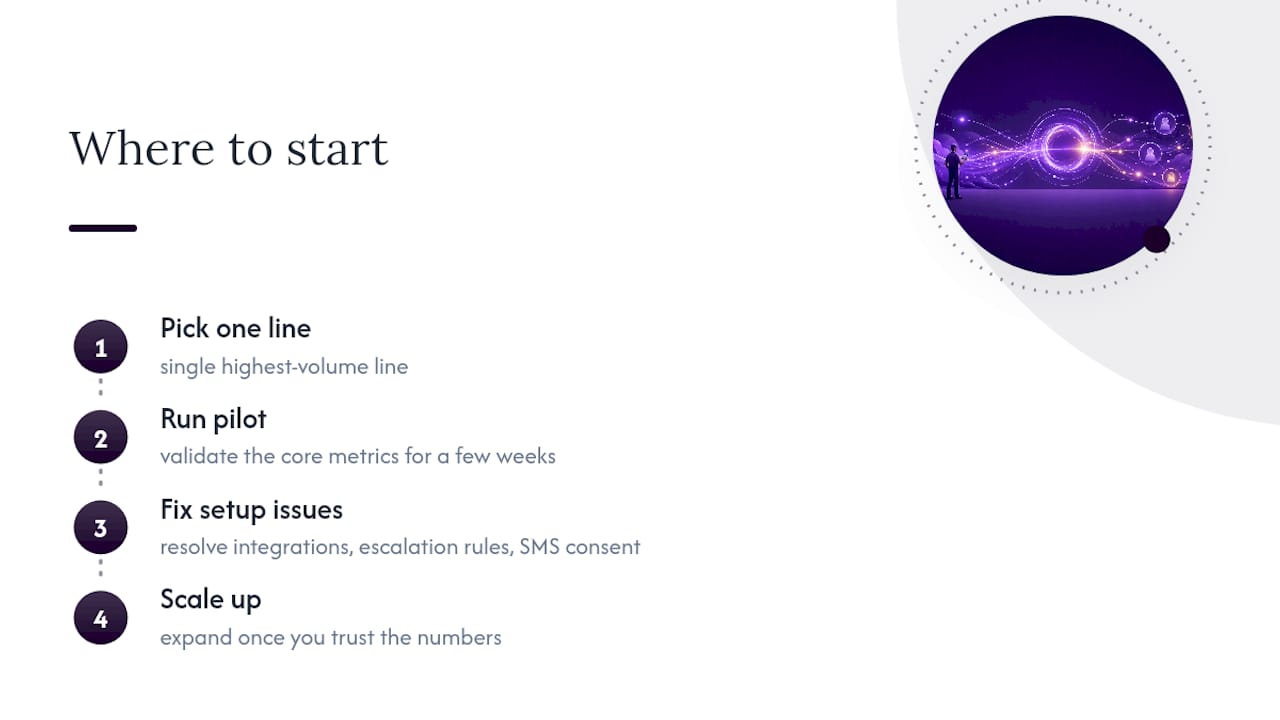
The fastest wins show up in appointment-driven businesses with obvious missed-call leakage: trades, clinics, and local service providers where a booked slot has a clear dollar value attached. I'd start with a pilot on your single highest-volume line, not every line at once. Validate the core metrics for a few weeks, then expand once you trust the numbers.
The pitfalls are predictable and avoidable: integrations left on email-summary far past the "temporary" stage, escalation rules that are too vague to actually route anything, and SMS consent that never gets logged. Watch for those three specifically. Dexcoretechnologies's implementation work points to the same pattern across restaurants, clinics, and contractors: the technology rarely fails first, the setup does. If you're unsure where your own leakage sits, an operational audit of your last month of call logs will tell you faster than any demo.
— James
Ready to stop losing calls to voicemail?
Dexcoretechnologies gives appointment-driven businesses a direct route to fewer missed calls and more booked jobs, without hiring another receptionist or locking into a call-centre contract. The system answers every call around the clock, qualifies the caller, books the appointment on the calendar you already use, and syncs the record straight into your CRM, with onboarding and support included so you're not configuring soft-locks and escalation rules alone.

If you run a restaurant fielding reservation calls during the dinner rush, the restaurant-specific setup handles that exact pattern. For contractors, clinics, and other appointment-driven operations, the service business option is built around the same booking and escalation logic covered above. Either way, the first move is simple: request a missed-call audit or a live demo through Dexcoretechnologies and see what your own call logs are actually costing you.