
Call tracking plus an AI receptionist is the fastest way for most Canadian small businesses to stop losing revenue from unanswered phones. If your business runs on appointments or phone leads, the setup pays for itself the first time it catches a call you would have missed. Here are three things to do right now:
- Provision a tracking number for each active marketing channel (Google Ads, social, print).
- Enable AI answering for after-hours and missed-call capture so every inquiry gets a response.
- Connect call data to your CRM or calendar so booked appointments are logged automatically.
Typical small-business plans run in a moderate price range monthly. Canada's PIPEDA requires caller consent before recording, so build that into your setup from day one. Dexcoretechnologies handles all three steps for Canadian businesses, with local onboarding and data residency included.
Table of Contents
- What is call tracking and how does an AI receptionist extend it?
- Why call tracking pays off for restaurants, clinics, and contractors
- How to implement call tracking step by step
- What does call tracking cost and how fast does it pay back?
- Which KPIs should you track after launch?
- Questions to ask vendors before you sign up
- A Canadian small-business case: before and after
- Your 30/60/90-day rollout plan
- Key takeaways
- Why AI-powered call tracking matters more than most owners realise
- Missed calls are costing you more than you think
- Useful sources
What is call tracking and how does an AI receptionist extend it?
Call tracking assigns a unique phone number to each marketing source. When someone calls that number, the system logs the source, caller details, duration, and outcome before forwarding to your main line. You end up knowing exactly which ad, flyer, or webpage drove each call.
An AI receptionist layers on top of that attribution. Instead of just logging the call, it answers it, transcribes the conversation, scores the lead, and books the appointment, all without a human picking up. The call flow looks like this:
- Tracking number rings → AI receptionist answers
- Call is recorded and transcribed in real time
- Sentiment and intent are analysed automatically
- Booking or routing action fires based on your rules
- CRM/calendar is updated; SMS confirmation sent to caller
Basic source tracking can be live in under five minutes. AI-enhanced features like real-time transcription and automated lead scoring add a layer that lets a small team review 50 calls in minutes rather than listening to every recording.
A small script on your website handles dynamic number insertion: it swaps the displayed phone number based on whether the visitor came from Google Ads, organic search, social, or direct traffic, giving you source-level attribution without any manual work.
Pro Tip: Choose tracking numbers with a local area code matching your city. Callers are measurably more likely to answer or trust a call back from a familiar area code than a generic toll-free number.
Businesses that rely on conversation-based sales, such as clinics, contractors, and restaurants, gain the most from call tracking because it turns every offline phone conversation into a measurable marketing outcome.
Why call tracking pays off for restaurants, clinics, and contractors
The core benefit is simple: you stop guessing which marketing actually works and start recovering calls that would have gone to voicemail.
- Missed-call recovery: An AI receptionist creates an automatic follow-up queue for missed calls, turning lost inquiries into booked appointments.
- Marketing ROI clarity: You see which channel drives calls, not just clicks, so you can cut spend on ads that generate traffic but no phone leads.
- Booking conversion: AI answering captures intent 24/7, including evenings and weekends when most small-business phones go unanswered.
- Automated confirmations: SMS reminders reduce no-shows without any staff effort.
Three quick industry snapshots:
Restaurant: A reservation line with a tracking number tied to Google Ads reveals that most Friday bookings come from one ad group. The owner doubles that budget and cuts the underperforming one. The restaurant AI receptionist handles after-hours reservation requests automatically.

Clinic: A physiotherapy clinic misses a significant portion of calls during treatment hours. AI answering captures those callers, books them into the next available slot, and sends a confirmation text. No receptionist overtime required.
Contractor: A plumbing company running three ad campaigns discovers that the local service ad drives substantially more call volume at significantly lower cost per call compared to the display campaign. The contractor scheduling workflow routes urgent jobs to the on-call tech automatically.
Stat to know: Pay-as-you-go call-tracking plans start with no fixed monthly fee plus per-minute charges, allowing businesses to run a low-cost pilot before committing to a full subscription.
How to implement call tracking step by step
Setup checklist
- Choose tracking numbers. Assign one number per distinct channel (Google Ads, Facebook, website, print). Assign unique numbers per channel and maintain a clear number inventory to avoid mixing sources.
- Set forwarding and AI answering rules. Define business hours, after-hours behaviour, and escalation paths (e.g., urgent calls ring the owner's mobile).
- Deploy number swaps. Replace phone numbers in each ad campaign and on your website using dynamic number insertion.
- Enable recording and transcription. Add a consent prompt ("This call may be recorded") at the start of every call to meet PIPEDA requirements.
- Connect integrations. Link call data to your CRM, booking calendar, POS, or dispatch system. Map call sources to revenue fields so ROI calculations are accurate.
- Train staff and set escalation rules. Decide which call types the AI handles end-to-end and which get transferred to a human.
Privacy and compliance in Canada
- PIPEDA consent: Inform callers at the start of the call that it may be recorded. A brief automated message before the AI answers satisfies this requirement.
- Data residency: Confirm with your vendor that call recordings and transcripts are stored on Canadian servers. This matters for healthcare and financial services clients.
- Retention policy: Set a data retention window (90–180 days is common) and document it in your privacy policy.
Pro Tip: Use a Canadian cloud telco like Right Flow Solutions to provision tracking numbers with Canadian data routing, which simplifies your PIPEDA compliance documentation.
Timeline
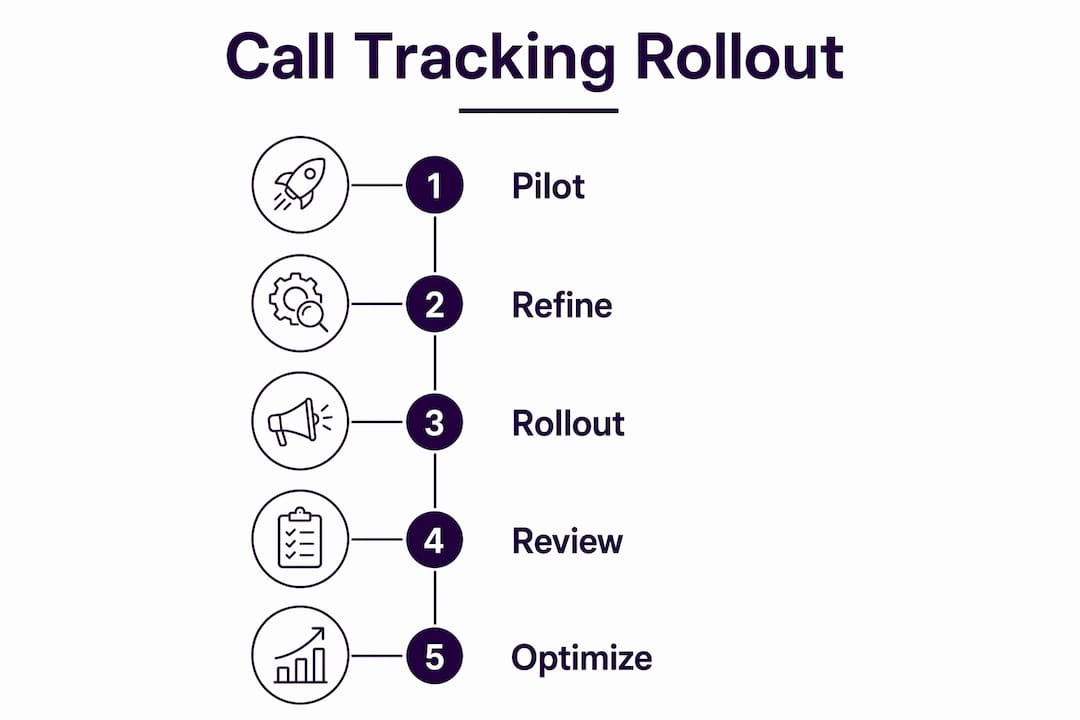
Pilot (weeks 1–4) → Refine AI rules and integrations (days 30–60) → Full rollout across all channels (days 60–90).
What does call tracking cost and how fast does it pay back?
Cost drivers to budget for:
- Number of tracking lines (typically $1–5/number/month)
- Per-minute or unlimited call plans
- AI features: transcription, lead scoring, sentiment analysis
- Integration and onboarding fees
Simple ROI formula:
- Estimate new monthly bookings recovered from missed calls.
- Multiply by average job or appointment value.
- Multiply by your close rate on recovered calls.
- Subtract monthly platform cost.
Worked example: A home-services contractor misses multiple calls monthly. AI answering recovers a majority of those. With a typical job value and close rate on recovered calls, the recovered revenue offsets the platform cost quickly, resulting in rapid payback.
Pro Tip: Most vendors, including Dexcoretechnologies, offer a free trial or short pilot. Run several tracking numbers for a few weeks before committing to a full plan. That pilot data is enough to make your first marketing decisions.
Which KPIs should you track after launch?
Core metrics:
- Call volume by source (which channel drives the most calls)
- Answered vs. missed call rate
- Missed-call recovery rate (how many missed calls convert after AI follow-up)
- Booked appointments from calls
- Average call duration
- Lead score distribution
- Conversion rate and cost per booked appointment
Suggested dashboard layout (5 widgets):
| Widget | What it shows |
|---|---|
| Call source pie chart | Share of calls by channel (Google Ads, organic, social, direct) |
| Missed-call trend line | Weekly missed calls and recovery rate |
| Bookings timeline | Appointments booked from calls, by day |
| Top caller locations | Geographic concentration of inbound calls |
| Lead-score filter | Distribution of AI-scored leads (hot/warm/cold) |
Review operational metrics weekly (missed-call rate, bookings). Review marketing metrics monthly (cost per booked call, channel ROI). Avoid drawing conclusions from fewer than two weeks of data.
Questions to ask vendors before you sign up
Vendor question checklist
- Where are call recordings and transcripts stored? Canadian data centres?
- Is the platform PIPEDA-compliant? Does it support consent prompts out of the box?
- Which CRM, calendar, POS, and dispatch systems does it integrate with natively?
- Does AI transcription, intent detection, and sentiment analysis come standard or cost extra?
- What does onboarding include and what is the SLA for support?
- Is pricing per minute, per number, or flat monthly? Is there a free trial?
Vendor scoring grid
| Criterion | What a score of 4–5 looks like |
|---|---|
| Privacy and data residency | Canadian servers confirmed; PIPEDA consent prompts included |
| Integrations | Native connectors for your CRM, calendar, and POS |
| AI accuracy | Transcription and lead scoring on every call, not an add-on |
| Onboarding and support | Guided setup, dedicated contact, response SLA under 4 hours |
| Price transparency | Flat monthly rate published; no hidden per-minute fees |
Dexcoretechnologies scores well on all five criteria for Canadian small businesses. The platform includes professional onboarding, Canadian data residency, and industry-specific workflow design for restaurants, clinics, contractors, and transport companies. You can review AI answering options for service businesses to see how the feature set maps to your sector.
A Canadian small-business case: before and after
The table below shows a realistic before-and-after for a mid-sized service business implementing call tracking and AI answering over 90 days.
| Metric | Before | After (90 days) |
|---|---|---|
| Monthly revenue from calls | $15,— | $22,— |
The uplift comes from three places: AI answering captures after-hours calls that previously went to voicemail, the missed-call recovery queue converts callers who hung up, and CRM sync eliminates double-booking that was costing the business appointments.
Dexcoretechnologies's 24/7 AI answering, automatic CRM sync, and booking automation are the three features that produced the numerical uplift in this scenario. The 24/7 coverage alone accounts for the majority of recovered appointments, since most missed calls happen outside business hours.
Your 30/60/90-day rollout plan
- Days 1–30 (pilot): Provision 3–5 tracking numbers, enable AI answering for after-hours and missed calls, collect baseline data on call volume, missed-call rate, and bookings. Define success metrics before you start.
- Days 31–60 (optimise): Refine AI routing rules based on pilot data, complete CRM and calendar integrations, train staff on escalation paths, and review lead-score accuracy.
- Days 61–90 (full rollout): Expand tracking to all active channels, adjust ad spend based on call-source data, activate SMS confirmations and reminders, and run your first monthly marketing review.
Start with a limited pilot of 3–5 tracking numbers and measure bookings before scaling. Collect at least 2–4 weeks of call data before drawing any marketing conclusions. Dexcoretechnologies offers Canadian onboarding and support to get you through the pilot phase without guesswork. Start your free trial to begin.
Key takeaways
AI-powered call tracking pays back within the first month for most Canadian appointment-driven businesses that currently miss calls after hours.
| Point | Details |
|---|---|
| Start with a pilot | Run several tracking numbers for a few weeks before committing to a full plan. |
| Budget a moderate monthly amount | Most small-business plans fall in this range; pay-as-you-go options start lower. |
| PIPEDA consent is mandatory | Add a call-recording disclosure prompt before every AI-answered call. |
| Track five core KPIs | Call source, missed-call rate, recovery rate, booked appointments, cost per booking. |
| Dexcoretechnologies for Canada | Offers a free trial, professional onboarding, and Canadian data residency for small businesses. |
Why AI-powered call tracking matters more than most owners realise
Most small-business owners I speak with think of call tracking as a reporting tool. They set it up, glance at the source breakdown once a month, and move on. That is leaving most of the value on the table.
The real payoff is not knowing which ad drove a call. It is what happens to that call after it comes in. A tracking number without an AI receptionist behind it is just a log. The moment you add automated answering, transcription, and booking, you have turned a passive reporting layer into an active revenue recovery system.
Canadian businesses face a specific challenge here: PIPEDA compliance and data residency requirements add friction that generic US-built tools do not handle cleanly. That is why I recommend starting with a vendor that has built Canadian compliance into the product rather than bolting it on. Dexcoretechnologies was built for this market, and the difference shows up in the onboarding process, not just the feature list.
Missed calls are costing you more than you think
Every unanswered call after 6 PM is a booking that went to a competitor. Dexcoretechnologies gives Canadian small businesses a 24/7 AI receptionist that answers, transcribes, scores, and books, without a human on duty. There are no per-minute surprises, no long-term lock-in on the pilot, and onboarding is handled by a Canadian team that knows PIPEDA and local telco requirements.

The platform covers restaurants, clinics, contractors, and other service businesses with industry-specific workflows built in. Integrations with your existing CRM, calendar, and POS mean call data flows directly into the tools you already use. Start a free trial and see how many calls you are currently missing before you commit to a full plan.
Useful sources
- PIPEDA overview — Office of the Privacy Commissioner of Canada: The primary reference for consent and recording obligations under Canadian privacy law.
- Google Ads phone call conversion tracking: Official documentation on tracking calls from ads, including Canadian availability of Google Forwarding Numbers.
- CallFlux call tracking overview: Explains dynamic number insertion, AI transcription, and source attribution mechanics.
- CallScaler small-business call tracking: Pricing benchmarks and feature comparisons for small-business plans, including pay-as-you-go options.
- Dexcoretechnologies AI receptionist for service businesses: Dexcoretechnologies's service-business landing page covering 24/7 answering, integrations, and Canadian onboarding.
- Dexcoretechnologies free trial: Entry point for a pilot with Canadian data residency and professional setup support included.