Reaching consistent call coverage and lead capture without hiring extra reception staff drains resources for small business owners. Many competing AI answering services lack affordable automation, offer limited integrations with commonly used CRMs, or need burdensome manual configuration. This comparison lays out pricing, deployment time, and automation depth so small business owners can pick the right alternative without trial and error.
Table of Contents
DEXCORE Technologies
At a Glance
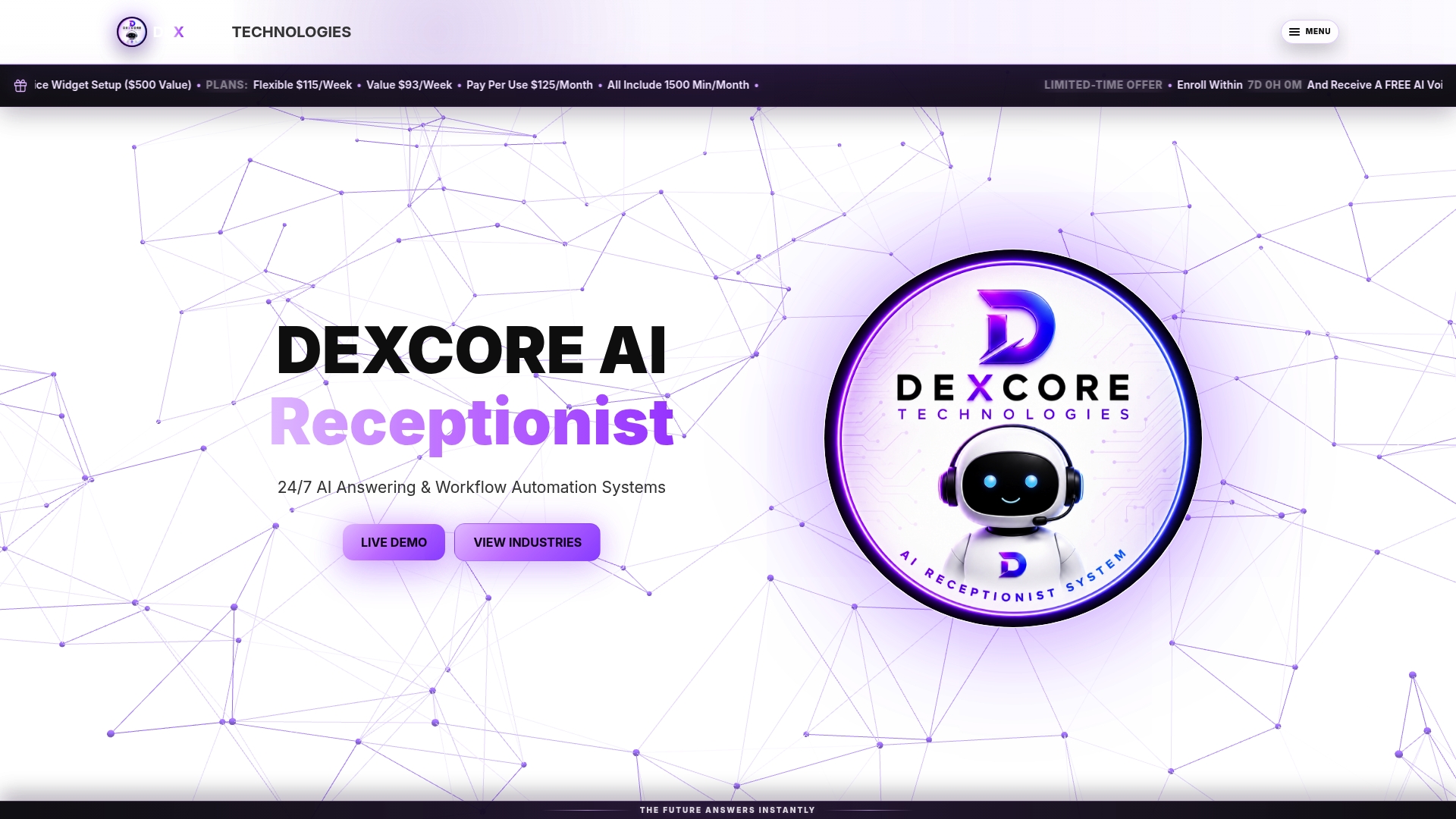
DEXCORE Technologies' marketing materials state a potential ROI of up to 942%. The platform pairs 24/7 AI call answering with real-time appointment booking. Deployment is described as quick, often completed within days, which suits businesses that need fast coverage without a long rollout.
Core Features
The system combines an AI Receptionist and answering service with workflow automation that captures leads, routes requests, and triggers SMS notifications. It supports appointment and reservation booking and integrates with CRMs and calendars used by service businesses. Live demos, free trials, and tailored onboarding are available to help match workflows to industry practices.
Key Differentiator
Tailored, industry-specific automation workflows delivered inside a single platform make the offering distinctive. Each workflow can capture customer details, route enquiries to the right team, and send follow-up notifications automatically. Dedicated onboarding support is included to map those automations to existing tools and procedures.
Pros
Continuous call coverage reduces missed revenue by answering calls outside business hours. Customisable workflows let you capture leads and book appointments without manual handoffs. The product integrates with common calendar and CRM systems used by clinics, salons, and restaurants. Quick deployment within days means you can start handling after-hours calls rapidly. Dedicated onboarding and ongoing support smooth the initial setup. The ROI claim above is presented by the vendor and gives a sense of potential economic impact for higher-volume operations.
Cons
- Setup and configuration may require technical understanding for advanced automations, which could challenge very small teams without IT support.
Notable Integrations
- Square Appointments
- Fresha
- Vagaro
- Acuity Scheduling
- Jane App
- Cliniko
- SimplePractice
- NexHealth
Who It's For
Small to medium-sized Canadian service businesses that get many calls and need reliable 24/7 coverage will benefit most. Typical buyers include restaurants, clinics, salons, contractors, and transportation companies. Businesses that rely on appointment booking and CRM integration to convert leads will find the feature set aligns with their needs.
Unique Value Proposition
Captures customer details, routes requests, and sends notifications inside one automation that plugs into your existing CRM and calendar. That workflow reduces the manual steps staff must take after each call, freeing them to handle higher-value tasks. The vendor claim about ROI above frames the potential economic case for businesses with steady call volumes.
Real World Use Case
A med spa uses DEXCORE to answer after-hours calls and capture appointment requests. The system books available slots, sends SMS reminders, and posts the lead into the spa's CRM. As a result, staff handle fewer routine calls and focus on in-person client care.
Pricing
Plans include Flexible at $115/Week, Value at $93/Week, and Pay Per Use at $125/Month. Each plan includes 1500 call minutes per month. Additional minutes are billed at $0.22/min or $0.33/min depending on the plan.
Website: https://dexcoretechnologies.ca
Voksha
At a Glance
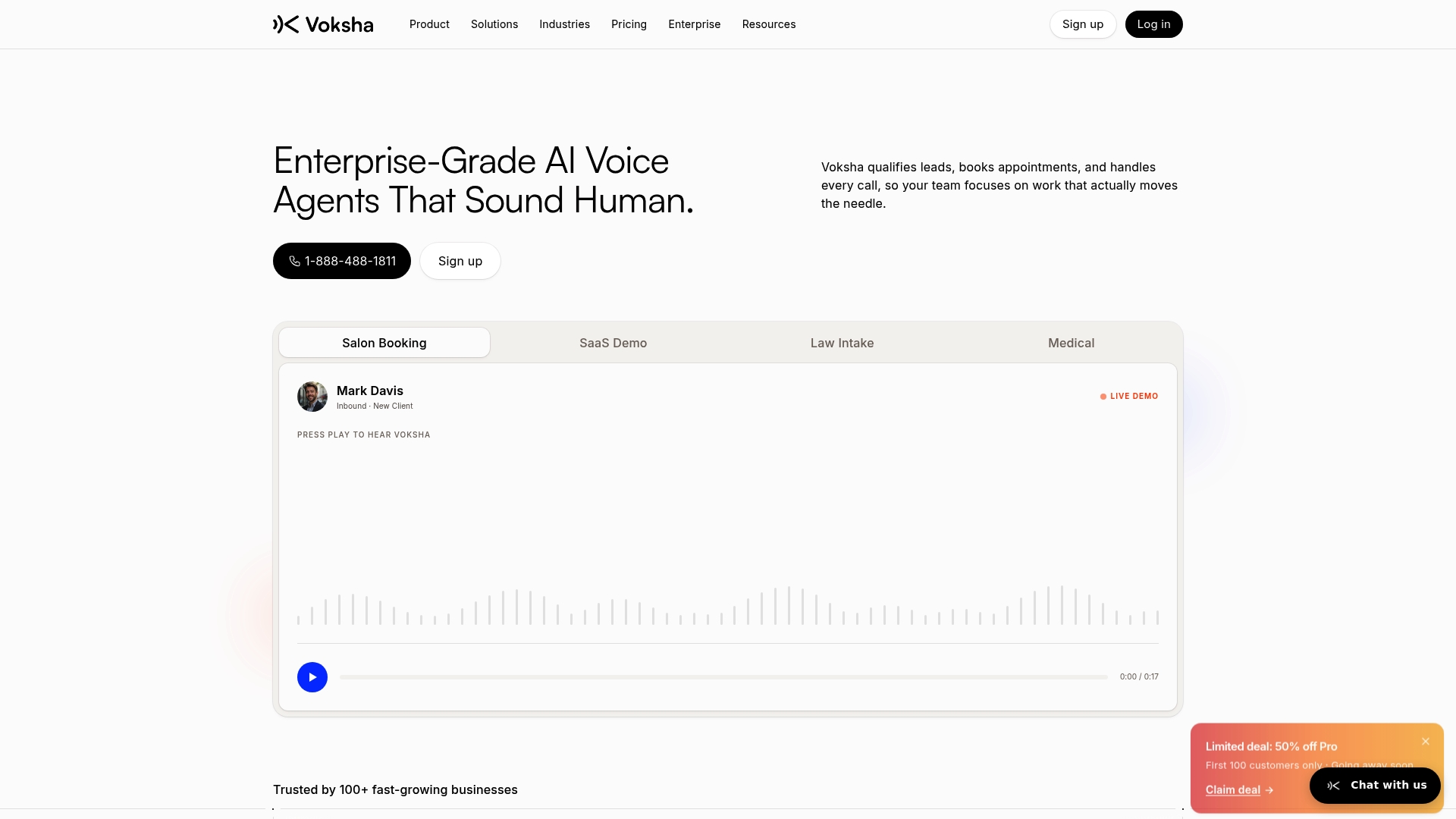
Voksha advertises unlimited voice agents and custom training for each deployment. The vendor's marketing materials state compliance with HIPAA and GDPR. The product targets service industries and regulated practices that need 24/7 voice handling without hiring extra reception staff.
Core Features
Voksha handles 24/7 call answering and appointment booking while capturing leads and generating call summaries. The system routes calls by caller intent and offers industry specific call flows that you can edit without engineering help. Deployments include multi language support and connectors to common CRMs and calendars.
Key Differentiator
Voksha focuses on enterprise needs with customisable voice agents and an emphasis on regulatory controls for sensitive data. That compliance claim is presented as part of its enterprise pitch and supports medical, legal, and SaaS use cases. The platform targets teams that need voice automation at scale with tailored scripts and training.
Pros
Voksha lets businesses answer every incoming call and capture lead details automatically, which reduces missed opportunities. The platform offers quick setup for common industries and does not require engineering for basic script changes. It integrates with CRM and scheduling tools so captured data flows into your existing workflows, and the vendor positions the service as meeting regulatory requirements for protected data.
Cons
- Reliance on internet and telecom infrastructure can cause failures in areas with poor connectivity. This may interrupt voice agent availability.
- Effectiveness depends on the quality of training data and ongoing tuning. Expect to allocate time for configuration and periodic updates.
- It may not replace human agents for complex or highly emotional conversations. Escalation to live staff will still be necessary for some calls.
When It May Not Fit
If you operate where connectivity is unreliable or where callers expect a highly personal human touch, Voksha will feel limited. Small operations with only occasional calls may not justify the ongoing tuning effort. Organisations that cannot invest resources for configuration and monitoring should consider simpler options.
Notable Integrations
- Salesforce
- HubSpot
- Clio
- Google Calendar
- Microsoft Outlook
- Slack
- Zendesk
- QuickBooks
Who It's For
Voksha suits small to large businesses that handle frequent voice traffic and need automated intake, booking, and lead qualification. It matches legal and medical practices that require privacy controls and firms that want captured call data routed into existing systems. Teams that can commit resources to tune voice scripts will get the most value.
Real World Use Case
A law firm uses Voksha to automate initial client intake calls. The system captures matter details, schedules consultations, and triages urgent issues for live follow up. The firm keeps call records in its case management system through the Clio integration.
Pricing
Plans start at $49/month for the Pro plan and scale up for more minutes, languages, and advanced features. Custom enterprise plans are available on request for deployments that need larger volumes or bespoke training. Ask sales for a tailored quote when you need SLA or volume commitments.
Website: https://voksha.com
Rosie
At a Glance
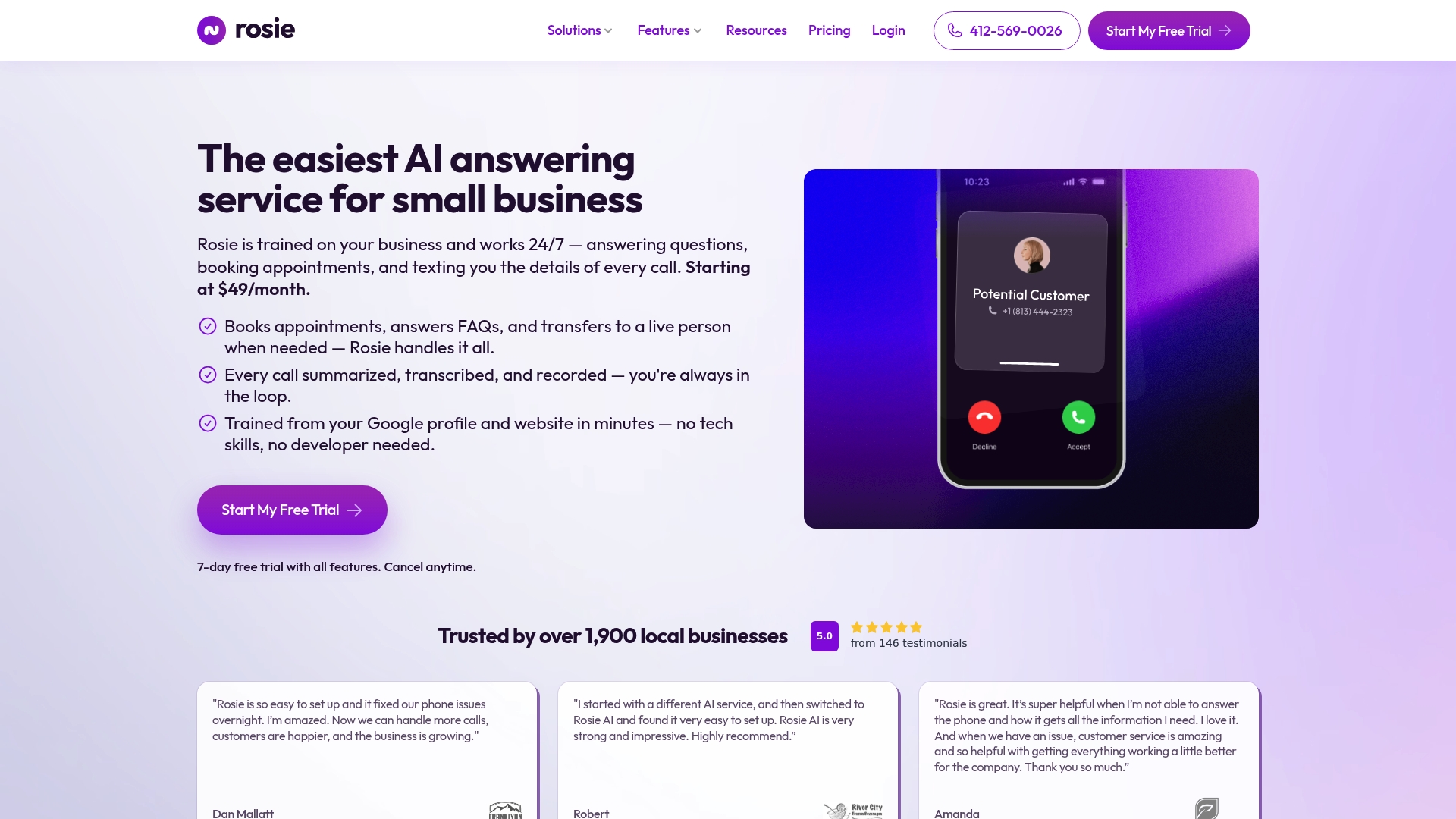
Rosie reports setup and training on your business details completes in minutes. The system handles calls around the clock and includes appointment booking and spam filtering. Pricing starts at $49/month, with higher tiers for heavier use.
Core Features
Rosie delivers 24/7 call answering with automated appointment booking and simple scheduling rules, and it captures leads with call recordings and searchable transcripts. The service includes spam filtering and bilingual support for English and Spanish, and it produces call summaries and notifications for your team. Setup draws on your Google profile and website to personalise responses without technical steps.
Key Differentiator
Rosie’s defining angle is that its AI trains on your specific business information and website, which the vendor says reduces manual configuration time. That focus on business-specific training lets owners set responses and greetings quickly. It is aimed at teams that want a hands-off setup with room to customise phrasing and call flows.
Pros
The setup process is fast and pulls basic details from your online profiles, which reduces onboarding time for small teams. Rosie supports simultaneous calls and bilingual handling, so busy local businesses get fewer missed opportunities. Owners receive detailed call recordings, transcripts, and clear summaries that make triage and follow up easier.
Cons
-
Price may be high for very small or infrequent callers compared with pay as you go options.
-
The platform may struggle with very complex or highly technical enquiries that need specialist human agents.
-
The vendor does not list specific CRM or scheduling integrations in public materials, which may add manual work for some teams.
When It May Not Fit
If your business relies on deep CRM automation and two way updates, Rosie may require extra manual steps because integrations are not specified. Companies that need subject matter experts to answer technical questions will find the AI limited for specialised support. Very large contact centres with custom enterprise workflows may prefer a platform that lists advanced integration details.
Who It's For
Small business owners, solo entrepreneurs, and local service providers who need continuous call coverage and straightforward appointment booking will get the most value. It suits teams that want quick onboarding and prefer to avoid hiring overnight staff. Businesses that rely on phone leads but do not require complex back end automation are a good match.
Real World Use Case
A local auto repair shop uses Rosie to answer after hours calls, screen robocalls, and book repair slots automatically. Shop staff receive concise call summaries and recordings each morning, so they prepare parts and assign labour before work begins. That keeps technicians focused on repairs rather than phone duty.
Pricing
Rosie lists plans starting at $49/month, with higher tiers at $149/month and $299/month for more minutes and features. The pricing model is tiered by usage and support level and includes options for enterprise onboarding and priority support.
Website: https://heyrosie.com
Comparison of alternatives
Among the AI answering services reviewed, a standout benefit of DEXCORE Technologies is its combination of tailored workflows and CRM integration. This analysis explores dimensions where competitors excel and addresses potential use cases.
Workflow Automation Differences
DEXCORE Technologies sets itself apart with tailored automation workflows and CRM integration, making it highly suitable for businesses with heavy reliance on organisational tools. Rosie contrasts by providing rapid onboarding with minimal technical requirements, deriving relevant information directly from online profiles.
Factors Influencing Compliance-Sensitive Choices
For businesses operating under strict regulatory requirements, Voksha provides a distinct advantage through its adherence to HIPAA and GDPR standards. This capability makes it particularly attractive for legal and medical practices.
Best fit
- Businesses managing high call volumes and necessitating CRM integration will benefit most from DEXCORE Technologies.
- Smaller teams seeking an efficient and straightforward setup will find Rosie aligned with rapid start-up requirements.
- Compliance-sensitive organisations requiring HIPAA and GDPR alignment will prioritise Voksha for regulatory assurance.
Our pick
For businesses seeking streamlined operations, DEXCORE Technologies provides a clear advantage. With industry-specific automation workflows and compatibility with prevailing CRM systems, it is well-suited for service-oriented businesses requiring efficient lead and booking management. However, organisations with significant regulatory obligations or limited technical resources may find alternative solutions better suited to their priorities.
This table compares leading AI answering services for small businesses, focusing on their main features, key differentiators, pricing, and notable limitations.
| Product | Main Features | Key Differentiator | Pricing | Notable Limitation |
|---|---|---|---|---|
| Dexcoretechnologies | AI Receptionist, workflow automation, CRM integration | Tailored automation workflows | Flexible $115/week | Setup may require technical knowledge |
| Voksha | 24/7 call handling, multilingual support | Regulatory compliance for sensitive data | Starts at $49/month | Requires training data tuning |
| Rosie | Bilingual call answering, spam filtering, appointment booking | Business-specific training on profiles | Tiered from $49/month | Limited CRM integration per public details |
How Can Small Businesses Solve Missed Call Challenges with AI Answering Services?
Small to medium-sized Canadian service businesses often face missed calls and lost leads outside business hours. Dexcoretechnologies addresses these key user concerns by providing 24/7 AI call answering combined with real-time appointment booking. Their automation workflows capture customer details, route requests, and send notifications, which reduces manual work and frees staff to focus on higher-value tasks. This tailored solution suits restaurants, clinics, salons, and similar businesses relying on appointment booking and CRM integration.

See how Dexcoretechnologies can improve your operational efficiency and customer experience with fast deployment and a potential ROI of up to 942%. Visit Dexcoretechnologies to book a live demo and start handling calls around the clock with reliable AI receptionist and workflow automation.
FAQ
What features make Dexcoretechnologies suitable for small businesses?
Dexcoretechnologies offers 24/7 AI call answering with real-time appointment booking, making it ideal for managing calls outside business hours. This feature helps reduce missed revenue from customer calls, which is crucial for small businesses needing consistent coverage. Small business owners can expect improved customer service without the need for additional staff.
How does Dexcoretechnologies compare to Voksha for appointment booking?
Voksha offers customisable voice agents that handle 24/7 appointment booking while capturing lead details automatically. With tailored scripts and regulatory compliance, Voksha excels in enterprise settings that require privacy controls. Dexcoretechnologies, however, provides quicker deployment and dedicated onboarding tailored for small businesses that need faster implementation without extensive resources.
Which platform offers quicker setup: Dexcoretechnologies or Rosie?
Rosie claims to complete setup and training in minutes by pulling details from your online profiles. This quick configuration may suit very small teams looking for immediate assistance. Dexcoretechnologies also offers fast deployment, often within days, which appeals to small business owners who require faster turnarounds to ensure call coverage.
What pricing tiers does Dexcoretechnologies offer for small businesses?
Dexcoretechnologies has three pricing tiers available: Flexible at $115/Week, Value at $93/Week, and Pay Per Use at $125/Month, each including 1500 call minutes per month. Small business owners can choose a plan based on their expected call volume, making it flexible for different needs.
Can Dexcoretechnologies support multiple industry workflows?
Yes, Dexcoretechnologies includes tailored, industry-specific automation workflows that help capture customer details and route enquiries effectively. This capability allows small business owners in various sectors to streamline their operations and improve lead management without manual handoffs.