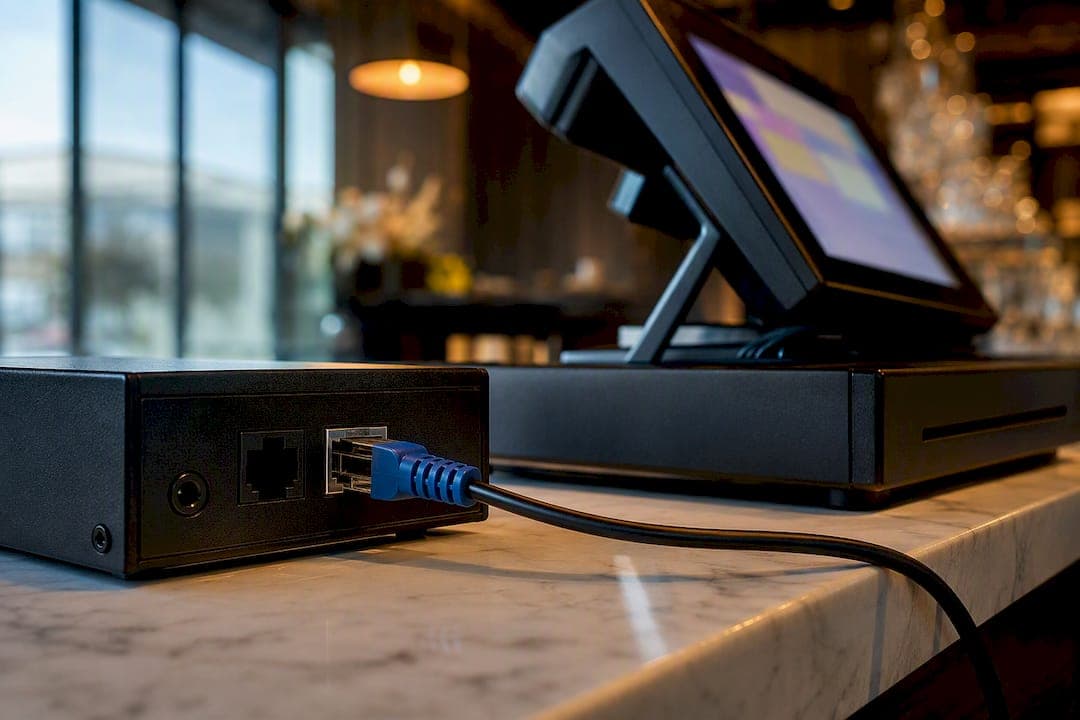
Yes, you can integrate caller ID with a POS system to auto-populate customer records the moment the phone rings. The three common routes are a VoIP caller ID box, an analog caller ID box, or a cloud middleware/API bridge. Done right, staff see the caller's name, order history and address before they say hello, which cuts order time and typo errors. The catch: it depends on your telco enabling caller ID, your POS supporting the integration, and usually one designated terminal handling the pop-up.
TL;DR:
- Most caller ID to POS integrations rely on telco-enabled caller ID, proper hardware support, and network configuration, which are frequently overlooked during installation.
- Cloud middleware options for caller ID integration require stable internet connections and API support from telephony providers, making reliability dependent on these factors.
- Staff training is essential because blocked or private numbers often show as unavailable, and staff must ask for callback details when this occurs.
- Proper network segmentation and security measures, such as separate VLANs, prevent telephony hardware from expanding PCI compliance scope.
- Failure points mainly originate from telco line settings or configuration errors, not the hardware itself, making pre-install verification critical.
Table of Contents
- How caller ID to POS integration actually works
- What hardware and cabling you need before you start
- Which POS-side integration option fits your setup?
- Your installation and configuration checklist
- Common limitations and how to troubleshoot them
- Security and PCI considerations you can't skip
- Real workflows once caller ID and POS actually talk
- What actually determines success here
- How Dexcoretechnologies handles the phone-to-POS gap for you
- Vendor docs worth bookmarking before you install
- Sources
- FAQ
How caller ID to POS integration actually works
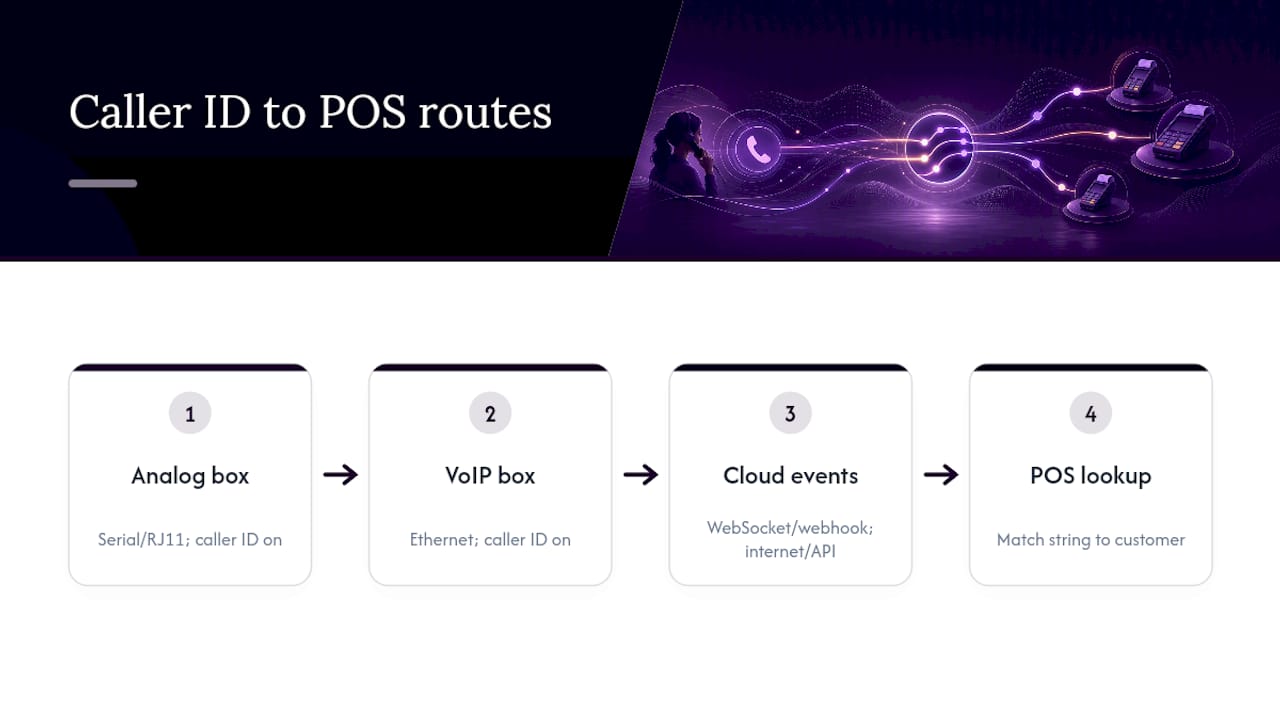
The path is simpler than most managers expect. A call comes in through your phone provider, passes through either a physical caller ID device or a cloud telephony event, and lands on your POS as a data string the software matches against a customer record.
Toast's own documentation splits hardware into two families: Vertex boxes for VoIP lines and Whozz Calling boxes for analog lines, and both require the phone company to enable caller ID service before anything reaches your POS. Analog boxes typically connect through a serial or RJ11 port and translate the incoming signal into a text string your POS reads locally. VoIP boxes usually connect over Ethernet and behave more like a small network appliance.
The third route skips physical hardware entirely. Cloud-native POS platforms increasingly rely on WebSocket or webhook connections, where a telephony provider pushes call events directly into the desktop POS app for an instant pop-up and customer profile lookup. No cabling, but it does depend on a stable internet connection and an API relationship between your telephony provider and your POS vendor.
What hardware and cabling you need before you start
Before you buy anything, confirm which caller ID device family your POS actually supports. Vertex boxes and Whozz Calling boxes aren't interchangeable, and mixing brands is the fastest way to end up with a box that outputs a format your POS can't parse. Basic caller ID units generally output fixed-field text through either an Ethernet or serial port, so match the port type to what your POS integration expects, not the other way around.
Run through this before your installer shows up:
- Confirm caller ID service is active on every phone line, not just the main number.
- Ask your telco to configure hunt groups or rollover if you run more than one line, since a missed handoff between lines is a common failure point.
- Reserve a dedicated management port on your network switch (a Meraki or similar unit works fine) for the caller ID device.
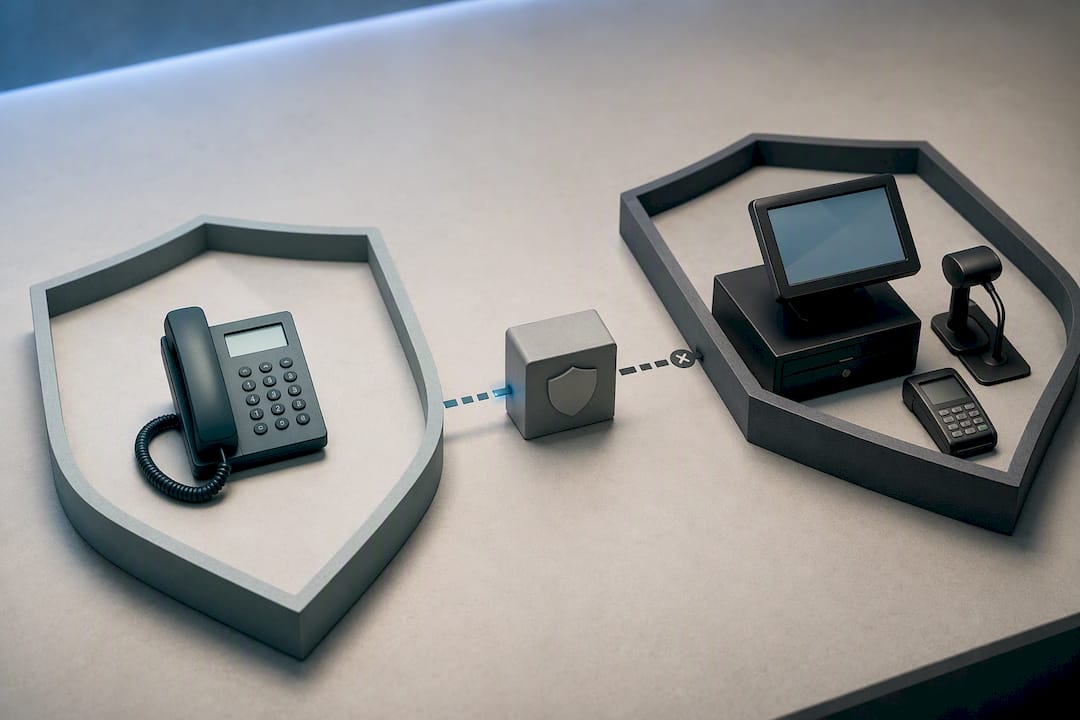
- Keep the caller ID box on a separate segment from anything sitting behind the POS firewall, so it can't widen your PCI scope.
- Verify whether your POS wants the device wired to a single terminal or broadcasting to all stations.
Skipping the telco step is the number one reason installs stall. The hardware can be perfect and still show nothing if caller ID was never turned on at the line level.
Which POS-side integration option fits your setup?
Once the hardware or cloud connection is sorted, the real decision is how your POS ingests that data. Three options cover almost every restaurant or service business setup:
- Direct local device reads. If your POS supports a serial or USB peripheral connection, the caller ID box talks straight to the terminal with no middleman. This is the simplest option and usually the cheapest, but it only works if your POS was built to read that hardware natively.
- Cloud telephony through middleware to POS via API or webhook. Best for cloud-native POS platforms or multi-location businesses where installing physical boxes at every site isn't practical. A telephony provider fires an event, middleware translates it, and your POS receives a clean webhook call.
- A middleware gateway that reformats the caller ID string. Useful when your phone hardware and your POS speak different dialects. The gateway sits in between, converting whatever the box outputs into whatever the POS expects, at the cost of a small amount of added latency and one more system to maintain.
Before committing to any option, ask your POS vendor three direct questions: which caller ID devices they officially support, whether they publish API or webhook documentation for third-party telephony events, and whether caller ID prompts need to be enabled on a single terminal or can run across the whole floor. Toast, for instance, explicitly recommends enabling caller ID on one terminal to avoid duplicate pop-ups. A system integrator's experience connecting disparate platforms is a useful reference point if your POS and phone provider have never talked to each other before.
Your installation and configuration checklist
Treat this as a sequence, not a wish list. Skipping ahead is where most installs go sideways.
- Pre-install. Confirm with your telco that caller ID and hunt group settings are active, verify your POS has a caller ID module available, and reserve the management port on your network switch.
- Install. Run cabling from the management port to your data subnet, connect the phone lines into the caller ID box, power it up, and run any vendor configuration tool (Toast's Vertex Configuration Tool is a good example of what to expect).
- Configure. Enable caller ID prompts inside the POS, restrict the prompt to a single terminal if your vendor recommends it, and place a handful of test calls from different numbers.
- Test. Simulate two calls landing at once, a blocked number, and a call from an existing customer record. Document what breaks and how staff should react if the pop-up never appears.
Pro Tip: Write down the rollback step before you go live, not after something fails during a Friday dinner rush. A one-page "if caller ID doesn't pop up, do this" card taped near the terminal saves more chaos than any troubleshooting call.
Common limitations and how to troubleshoot them
Caller ID integration is reliable most of the time, but a few failure patterns show up again and again.
- Concurrent calls or hunt groups can prevent a clean pop-up if your telco hasn't configured line handling correctly. Call your provider and confirm the hunt group setup before blaming the hardware.
- Blocked or private numbers (the classic *67 dial) usually show up as "unavailable" on the POS. There's no workaround for this on the technical side, so train staff to ask for the callback number manually when it happens.
- Network drops kill token or WebSocket based connections fast. Check the management port first, reboot the caller ID device second, and confirm your firewall allows the outbound connection the integration needs.
- Escalation path matters. A dead pop-up on every call points to the telco. A pop-up that works on one terminal but not another points to the POS vendor. A device that won't power on or link points to the hardware supplier.
Toast's own status page is worth bookmarking if you want to rule out a platform-wide outage before spending an hour on the phone with support.
Security and PCI considerations you can't skip
Never wire a caller ID device behind your POS firewall. Keeping telephony hardware on a separate VLAN or network segment stops a phone integration from accidentally widening your PCI compliance scope, a point vendor guidance around POS network design makes explicitly.
Store only what you need to fulfil the order: name, number, and delivery address if relevant. Don't let a caller ID integration become a second, unmanaged database of customer information. Cloud integrations should use token-based authentication rather than static credentials, and keep a log of telephony-to-POS events. That log becomes essential the day someone asks why a pop-up failed during an audit or a customer dispute.
Real workflows once caller ID and POS actually talk
A repeat customer calls a pizza shop and the order screen already shows their name, last three orders and delivery address before the phone leaves its cradle. That single lookup, documented in POS help centres as automatic customer matching, is what most managers are chasing when they ask about this integration in the first place.
Service businesses get a different version of the same win. A call that comes in after hours gets captured, matched, and routed straight into a booking calendar instead of sitting in voicemail for an extended period. Transport and dispatch operations use the same caller-to-job matching to speed up assignment, since knowing who's calling before you pick up shaves seconds off every dispatch decision.
Some platforms take this further with bidirectional POS integration that recovers orders that would otherwise be lost to a missed call or a full voicemail box, tying the phone system and the point of sale together in both directions rather than just pushing caller data one way.
What actually determines success here
Most installs fail on planning, not hardware. Prioritise a resilient network placement and proven devices over the cheapest kit you can find, then test relentlessly, including the ugly cases: blocked numbers, dropped connections, two calls at once. Staff need a fallback workflow for when the lookup fails, because it will, occasionally.
Budget for ongoing monitoring too. A caller ID integration that works perfectly on install day and gets forgotten will quietly break the first time your telco changes a setting or your POS pushes an update.
— James
How Dexcoretechnologies handles the phone-to-POS gap for you
Most of what breaks in a caller ID to POS setup isn't the hardware, it's everything around it: telco coordination, terminal configuration, and staff training on the edge cases. Dexcoretechnologies builds the whole workflow instead of handing you a box and a manual. Its AI receptionist answers every call around the clock, captures caller details, and routes them into your POS, CRM, or dispatch system automatically, so a missed call during a dinner rush never turns into a lost order.

Where a basic caller ID box only shows you who's calling, Dexcoretechnologies' workflow automation acts on that information: booking appointments, confirming orders by text, and notifying staff the moment a call needs a human touch. For restaurants specifically, the restaurant AI receptionist plugs directly into phone ordering to reduce the exact failure points covered above: concurrent calls, missed pop-ups, and orders that fall through the cracks. Service businesses can start with the Value Plan at $99.25 per week or the Pay Per Use option at $31.25 per week, both with a $500 setup fee, and request an assessment of your current phone and POS setup before committing to anything.
Vendor docs worth bookmarking before you install
Keep three references handy during setup: your POS vendor's official caller ID support page, the hardware specs for your caller ID box, and your telco's troubleshooting portal for line-level issues. Each covers a different failure point, so having all three saves a support call.
Sources
FAQ
Can you get caller ID with VoIP?
Yes. VoIP caller ID typically uses a box like Toast's Vertex device connected over Ethernet, or a cloud telephony event pushed directly to the POS through a WebSocket connection. Either route requires your VoIP provider to have caller ID enabled on the account.
Does using *67 still work?
Yes, dialing *67 still blocks the caller ID from displaying, and most POS systems show that call as "unavailable" or "private" instead of a name. There's no technical fix on the receiving end, so train staff to ask for a callback number when this happens.
How do I do POS integration for caller ID?
You choose one of three paths: a VoIP caller ID box, an analog caller ID box, or a cloud middleware/API bridge, then confirm your telco has caller ID enabled and your POS vendor supports the device or API you're using. Dexcoretechnologies handles this end to end for service businesses that want the telephony, booking, and POS pieces connected without managing each vendor separately.
How do I make my phone a POS system?
A phone alone isn't a POS system, but its caller ID data can feed into one. Once your phone line or VoIP provider has caller ID enabled, a caller ID box or cloud integration passes that number to your POS software, which matches it against existing customer records for instant lookup.
What's the biggest reason caller ID integrations fail on install day?
Almost always it's the telco, not the hardware. If caller ID hasn't been enabled at the phone company level, no box or software integration will show a name or number, so confirm that setting before troubleshooting anything else.