
The workflow that works: capture every call the moment it lands, validate the number and consent, assign an owner (with a backup), then attempt contact inside a set SLA before the lead goes cold. Track one number above all others: time-to-first-attempt. Tools like DEXCORE Technologies can build this end to end, but the logic matters more than the vendor. Get the sequence right and qualification improves without touching your sales script.
TL;DR:
- Speed is critical, with a five-minute window to attempt contact that significantly improves callback rates and reduces stale leads.
- Building the workflow requires careful validation, lead enrichment, and SLA setup, with robust testing to prevent routing or timing errors.
- First-call questions should focus on budget, timeline, authority, and need, with appropriate frameworks like BANT, SPIN, or MEDDIC based on deal complexity.
- Key metrics include time-to-first attempt, callback contact rate, attempt-to-meeting rate, and SLA adherence, all monitored via automated alerts.
- Reliable integration of phone, CRM, messaging, and scheduling systems is essential, with a dedicated partner like Dexcoretechnologies simplifying setup and ongoing management.
Table of Contents
- What is a call to lead workflow, exactly?
- How do you build the workflow step by step?
- What should reps ask on the first call?
- Which metrics actually prove the workflow works?
- What do you need to wire this together?
- What deployments actually teach you
- How Dexcoretechnologies builds this workflow for you
- Sources
- FAQ
What is a call to lead workflow, exactly?
A call to lead workflow is the automated sequence that fires the moment a phone call comes in, and ends with either a qualified opportunity or a documented "not yet." It replaces the old habit of a rep manually jotting down a callback number and hoping to get to it before lunch. In CRM terms, this is the same logic Microsoft documented years ago in its own phone call to opportunity conversion workflow: a call creates a lead record, the record runs through checks, and qualified leads convert to opportunities automatically.
The mechanics haven't changed much since then. What has changed is speed expectations. A voicemail sitting in a queue for four hours used to be normal. Now it's a lost deal, because three other businesses already called that prospect back.
Here's the blueprint you can paste straight into a design doc:
- Trigger: a call is logged, either through a CTI event, a webhook from your phone system, or a missed call capture that grabs the caller's number automatically.
- Validate: check the phone number format, run a consent check, and flag duplicates against existing lead records before anything else happens.
- Create or update the lead: populate name, phone, source, timestamp, and owner, plus any enrichment fields your CRM supports (company, referral source, intent signal).
- Create the callback task: assign a primary owner and a backup owner, attach an approved call note or voicemail script, and start an SLA timer.
- Notify: push an SMS, email, or app alert to the owner, and optionally send the prospect a calendar link so they can self-book if the callback misses them.
This maps closely to the seven-step lead management process of capture, enrich, qualify, route, engage, follow-up, and recycle. A call to lead workflow is really just that seven-step model compressed into minutes instead of days.
How do you build the workflow step by step?
Building this in a CRM or automation platform follows a pattern that's fairly consistent across tools, whether your using a native CRM workflow builder, a dedicated call automation platform, or a custom webhook setup. The general sequence used by call automation guides is: create the workflow, set the trigger, add filters, add the action, then test before publishing.
- Define the trigger and map the payload. Decide whether the workflow fires on "call logged," "missed call," or both, and map every field your phone system sends (caller ID, duration, timestamp, call outcome) to workflow variables.
- Add filters. Restrict the workflow to business hours and the correct timezone, filter by lead source if you run multiple campaigns, and flag high-intent calls (repeat callers, specific inbound numbers) for priority handling.
- Run phone validation and consent checks. Reject malformed numbers automatically and route them to a manual verification queue instead of letting a bad record silently die.
- Create or enrich the lead record. At minimum, capture name, phone number, source, timestamp, and assigned owner. This is non-negotiable; skip it and every later step has nothing to report against.
- Create the callback task with SLA and escalation. Set the timer, name a backup owner, and attach an approved call note or voicemail template so nobody improvises a promise about pricing or availability they can't keep.
- Log every attempt and outcome. Update lead status and the next-action timestamp after each call, whether it connects or not.
- Test before launch. Run the workflow against valid numbers, deliberately broken numbers, duplicate entries, and a call logged at 11:58 PM in a different timezone than your office.
Pro Tip: Test your SLA escalation path by intentionally missing one. If the backup owner doesn't get notified within your target window, you have a routing bug, not a discipline problem.
Skip the testing checklist and you'll find the bugs live, usually on your busiest day.
What should reps ask on the first call?
The workflow only pays off if the call itself captures the right information. At minimum, every first contact should record budget, timeline, authority, and need, plus a clear next step. Without those four data points, the lead just sits in the pipeline looking busy.
Which framework you use depends on the call type:
- BANT works best for fast inbound triage, where the goal is a quick yes or no on fit before anything else happens.
- SPIN suits discovery calls where the prospect hasn't fully defined their problem yet and needs guided questions to get there.
- MEDDIC fits complex, multi-stakeholder deals where a single call won't close anything but needs to identify the economic buyer and the metrics that matter to them.
A short discovery script covers most inbound scenarios: What prompted the call today? What's the timeline for solving this? Who else is involved in the decision? What happens if nothing changes? Each answer maps to a specific CRM field, budget, timeline, decision maker, pain point, rather than a free-text note nobody reads again.
From there, the decision rule is simple. Meets budget, timeline, and authority criteria: mark it a sales-qualified lead. Interested but missing one criterion: route to the SDR pool for a second call. Ready to talk specifics: book the meeting directly. Not ready at all: recycle to a nurture sequence instead of deleting the record.
Which metrics actually prove the workflow works?
Four numbers tell you almost everything: time-to-first-attempt, callback contact rate, attempt-to-meeting rate, and stale callback rate (leads sitting past SLA with no action logged).
Why speed is the metric that matters most: responding within minutes rather than hours substantially raises the odds a lead actually engages and qualifies. Every other metric on this list improves once time-to-first-attempt drops, because a stale lead can't convert no matter how good your script is.
Reasonable operational targets to start with:
- Time-to-first-attempt inside five minutes during business hours.
- Callback contact rate above 60% within the first two attempts.
- Attempt-to-meeting rate tracked separately by lead source, since paid and referral leads rarely convert at the same rate.
- Stale callback rate at or near zero, checked daily rather than weekly.
Instrument this by emitting an event at each workflow stage (call logged, attempt made, outcome recorded) and storing it in CRM custom fields or a dedicated event log. Review the dashboard monthly at minimum, and set alerts that fire the moment an SLA is missed rather than waiting for the monthly report to catch it.
What do you need to wire this together?
The workflow needs four systems talking to each other cleanly: your phone system (via webhook or CTI integration), a call tracking layer, your CRM's API, and a calendar or SMS gateway for notifications and self-booking links.
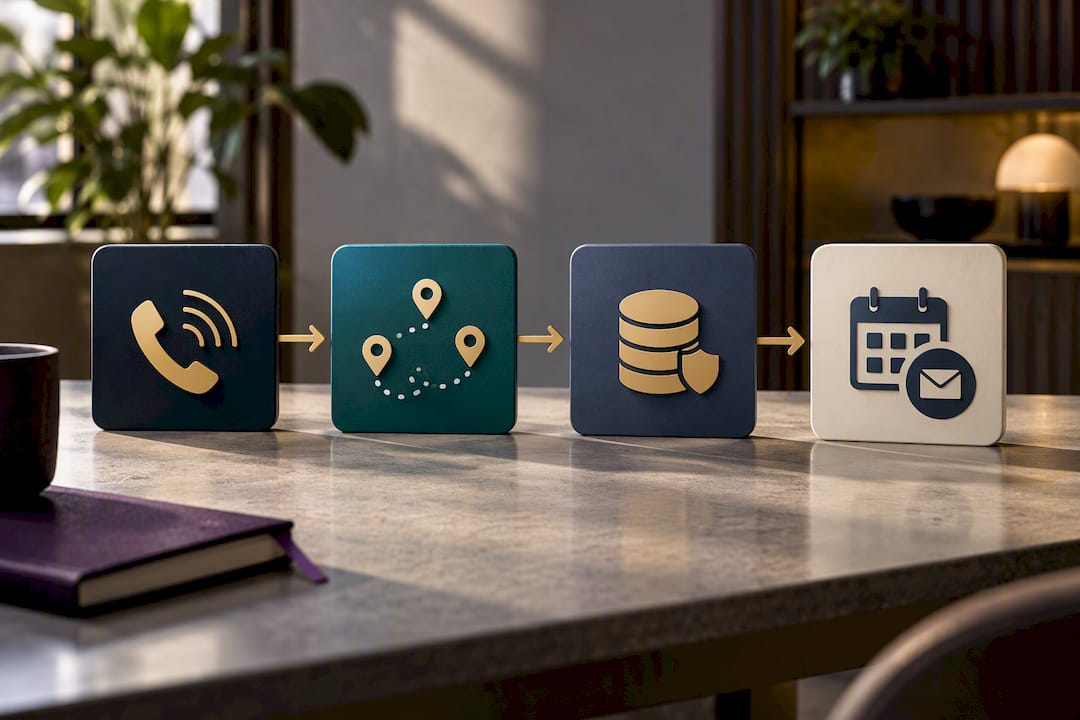
The minimal data model is short but strict: a contact record, a lead record, a call event log, an assigned owner field, a consent flag, and a lead score. Miss the consent flag specifically and you're one compliance complaint away from a real problem.
Common failure points worth planning for:
- Bad or malformed phone numbers slipping through without validation.
- Duplicate leads created when the same caller phones twice before the first callback happens.
- Timezone mismatches that make an SLA timer start counting from the wrong hour.
- Consent ambiguity, where a callback goes out to a number that never actually opted in.
For teams building this out, lead routing automation patterns for assigning leads in seconds are worth studying alongside your own CRM's native workflow tools, and a practical notification setup guide covers the alert side in more detail.
What deployments actually teach you
Speed beats a perfect record every time. A callback made in four minutes with half the enrichment fields filled in outperforms a perfectly enriched lead contacted three hours later, and you can fix the data gaps in parallel without holding up the call.
The trade-off nobody mentions upfront: an aggressive SLA multiplies the number of callbacks your team has to make, and a routing system that isn't reliable turns that volume into a mess of missed handoffs. Tight SLAs demand a backup owner who actually gets notified, not just one who's listed in a field nobody checks. In contractor deployments we've seen booked-job volume jump by a wide multiple once missed calls stopped being missed, and service businesses recovering roughly $1,000 a month simply by closing the gap between a call ringing and someone calling back.
— James
How Dexcoretechnologies builds this workflow for you
Building the workflow above from scratch means stitching together a phone system, a CRM, an SMS gateway, and a testing plan, then maintaining all of it. Dexcoretechnologies runs the whole sequence as one system: the AI receptionist captures and validates every call around the clock, workflow automation handles routing and lead enrichment, and CRM, calendar, and dispatch integrations close the loop without a developer on standby.

Onboarding typically means connecting your existing calendar and CRM, defining your SLA and escalation rules, and mapping approved call notes for your industry, whether that's a contractor crew, a clinic front desk, or a transport dispatch line. Most businesses see missed calls converting to booked callbacks inside the first week. Service businesses can start with the Value Plan at $99.25 per week or the Flexible Setup plan at $124.25 per week, both with a setup fee starting at $500. Visit the Dexcoretechnologies service business page to see plan details, or check the transport dispatch automation page if your call volume comes from dispatch rather than bookings.
Sources
- How to create a workflow to automate calling prospects
- Instant lead callback | Workflow library | AI Deployment Authority
- Lead management process: the 7-step operational workflow that converts leads to revenue
- Sales call strategy: the 2026 framework guide
FAQ
What is a lead call?
A lead call is any inbound or outbound phone conversation where a prospect's contact details and interest level get captured into a CRM as a lead record. It's the raw input a call to lead workflow processes automatically, turning a phone conversation into a trackable, actionable record.
What is the 5 minute rule for leads?
The 5 minute rule holds that contacting a new lead within five minutes of first contact dramatically raises the odds of a connection and qualification, versus waiting hours. This ties directly to the time-to-first-attempt metric that should sit at the centre of any call to lead workflow.
What are the main types of leads in sales?
Sales teams typically sort leads by source and readiness: cold leads, warm leads, inbound leads, referral leads, marketing-qualified leads, sales-qualified leads, and recycled or nurture leads. Each type usually needs a different callback speed and qualification script within the same workflow.
What does "lead" mean in a CRM?
In a CRM, a lead is a record representing a person or company that has shown interest but hasn't yet been qualified into an active sales opportunity. A call to lead workflow is what moves that record from raw contact to qualified opportunity, based on the seven-step lead management process of capture, enrich, qualify, and route.
How much does Dexcoretechnologies cost for this kind of workflow?
Dexcoretechnologies offers several plans for service businesses, including the Pay Per Use plan at $31.25 per week and the Value Plan at $99.25 per week, both with a setup fee starting at $500. Full pricing details for AI Receptionist and workflow automation services are listed on the Dexcoretechnologies website.