
An onboarding automation process turns a first call, chat, or booking form into a confirmed appointment and a synced CRM record, without a staff member touching the phone. Businesses that run this correctly typically see fewer missed calls, higher booking conversion, and faster client setup within weeks. The recommended next step: audit your last month of missed-call and no-show data, then run a two to four week pilot before rolling it out further.
TL;DR:
- Automation of client onboarding can reduce missed calls and no-shows, with pilot programs lasting two to four weeks showing measurable results.
- Key components include instant acknowledgment, conversational intake, real-time calendar sync, and automated messaging, all requiring integrated systems.
- Using a managed service is often preferable for businesses over 50 weekly bookings, as it ensures ongoing tuning and reliable integration.
- Starting with one location or appointment type and tracking specific metrics like call capture rate and bookings helps gauge ROI and scalability.
- Fallback alerts and clear escalation rules are essential to prevent silent failures and ensure human oversight for complex or disputed cases.
Table of Contents
- What does an onboarding automation process actually look like?
- What has to be connected for this to work?
- Should you build this yourself, buy an add-on, or install a managed service?
- How do you pilot this before rolling it out fully?
- What goes wrong, and how do you avoid it?
- What I'd prioritize if I were launching this today
- How Dexcoretechnologies gets you from audit to installed pilot
- Where to go for deeper reading
- Sources
What does an onboarding automation process actually look like?
Picture the sequence from the moment a prospective client reaches out to the moment their appointment sits confirmed in your calendar and their file sits complete in your CRM. That's the whole job. Most businesses only automate pieces of it, which is why leads still slip through.
Here's the flow a properly built system runs, end to end:
- Trigger and acknowledgement. A call, web chat, booking form, or text message comes in. The system responds within seconds, not hours. An AI receptionist can pick up the call directly, answer common questions, and start the intake conversation without a human on the line.
- Qualification and data capture. The AI asks the questions your front desk normally asks: service needed, preferred timing, contact details, insurance or account information if relevant. This is where conversational intake starts to outperform static forms.
- Booking. The system checks real-time availability, writes the appointment directly to the calendar, and sends a confirmation by text or email.
- Post-booking prep. Reminders go out automatically, along with any document requests (intake paperwork, waivers, payment details) needed before the appointment happens.
A few things separate a functioning pipeline from a leaky one:
- The acknowledgement has to be immediate. Customer intake automation research on the "sixty seconds after submit" principle shows response speed drives whether a lead stays engaged or moves on.
- Qualification questions should mirror what a trained staff member would ask, not a generic contact form.
- Every booking needs a written confirmation the client can reference later.
- Document collection should happen before the appointment, not at check-in.
What has to be connected for this to work?
The onboarding pipeline is only as strong as the pieces feeding it. Four components need to talk to each other cleanly, and gaps between any two of them are where leads disappear.
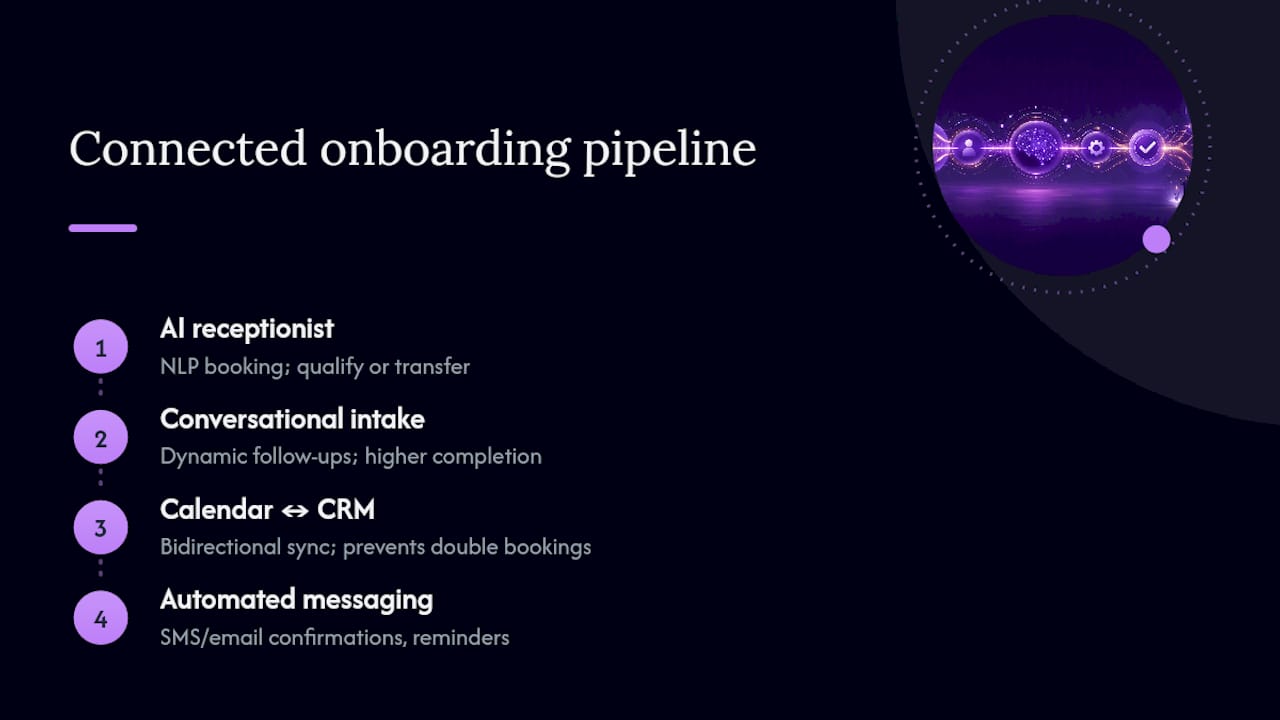
AI receptionist. It needs natural-language booking (not a rigid phone tree), the ability to qualify a caller on the fly, and clear rules for when to hand a call to a human. A caller asking about pricing for a routine service should get booked automatically. A caller with a complex, non-standard request should get transferred, not stuck in a loop.
Intake forms versus conversational intake. Static forms work fine for simple bookings. But conversational intake, where the AI asks follow-up questions dynamically, performs noticeably better for anything with branching logic. In clinical settings, digital intake has cut onboarding delays by roughly 35%, and conversational formats push completion rates from the 20 to 35 percent range up to 55 to 75 percent.
Calendar and CRM. These need bidirectional sync. A booking made through the AI receptionist has to appear in your calendar instantly, and any manual changes staff make need to flow back into the CRM record. Without this, you get double bookings and stale client data within a week.
Messaging channels. Confirmations, reminders, and missed-call follow-ups should fire automatically across SMS and email.
For integration, you have two practical routes: webhooks, which are fast and reliable but need a technical endpoint to receive the data, or no-code connectors like Zapier, which are easier to set up but add latency and another point of failure.
Pro Tip: Test your calendar sync with a deliberately double-booked slot before launch. If the system doesn't flag the conflict immediately, fix that before you go live, not after a client shows up to a taken appointment.
Should you build this yourself, buy an add-on, or install a managed service?
This decision matters more than which vendor you pick. Three routes exist, and the ownership model you choose determines whether the system still works in six months.
- Build it yourself. Full control, but you need someone internally who owns the AI's prompts and someone who owns the integrations. Most appointment-driven businesses don't have either person on staff.
- Buy a platform add-on. Faster than building, cheaper up front, but customisation is limited and you're often stuck with generic qualification logic that doesn't match how your business actually talks to clients.
- Buy a managed, installed service. Slower to get fully customised but someone else owns the tuning, the integration monitoring, and the accountability when something breaks.
Run through this checklist before deciding:
- How many calls or bookings do you handle weekly? Under 20, DIY might work. Over 50, you need something built for volume.
- Is your CRM and calendar already clean, or does data need cleanup first?
- Do you have internal technical capacity to maintain integrations long term?
For most operations managers juggling a business, not a software stack, a managed installation gets you to measurable results faster. Typical mid-tier plans run $99 to $299 per month, and DEXCORE's service business solution is built specifically around that ownership gap: someone else tunes the prompts and monitors the integrations while you run the business.
How do you pilot this before rolling it out fully?
Don't automate everything at once. Pick one location or one appointment type, the one with the longest workflow and the most missed calls, and run it for two to four weeks. New-client appointments tend to be the best pilot candidate because they have the most steps and the most to gain from automation.
Before the pilot starts, capture your baseline:
- Count missed calls over the last 30 days.
- Calculate your current booking conversion rate (inquiries that turn into confirmed appointments).
- Note your average ticket value per appointment.
During the pilot, track four numbers weekly:
| Metric | What it tells you |
|---|---|
| Call capture rate | Percentage of inbound calls answered and qualified without a human |
| Booking completion rate | Percentage of qualified leads that become confirmed bookings |
| Revenue per captured booking | Average ticket value multiplied by bookings the automation captured |
| Staff hours saved | Hours no longer spent on manual intake and scheduling |
To estimate ROI quickly, multiply the extra bookings captured per week by your average ticket, then compare that against your monthly plan cost. Businesses that recover even a handful of after-hours calls each week often see a multi-fold return within the first few months. If your pilot location holds steady or improves over four weeks, that's your signal to scale to additional locations or appointment types.
What goes wrong, and how do you avoid it?
The most common failure is silent. A webhook stops syncing, a calendar integration breaks, and nobody notices until a client shows up to a slot that was never actually booked. Build in fallback alerts from day one so a human gets notified the moment a sync fails.
Keep humans in the loop for disputes, non-standard pricing, and anything involving negotiation. An AI receptionist handles standardized, high-volume intake well; it's not built for judgment calls.
A short checklist keeps things from drifting:
- Write clear escalation rules: what gets transferred, and what context follows the caller.
- Review performance weekly for the first month, then monthly after that.
- Assign one person as the accountable owner for prompts and integrations.
Pro Tip: Check your escalation logs every Monday for the first month. Patterns in what gets transferred to a human tell you exactly where your AI's qualification questions need adjusting.
What I'd prioritize if I were launching this today
Skip the feature shopping. Every vendor pitch sounds similar on paper, and the differences that actually matter show up in the pilot data, not the sales deck.
The single biggest lever is accountability. Assign one person to own the prompts and integrations, or hire that ownership through a managed service. Systems that fail usually fail because nobody was watching the sync logs, not because the AI itself was weak.
Expect your fastest wins from after-hours calls you were losing anyway and from confirmations that used to take a staff member ten minutes to send manually. Those gains show up in week one, before the harder tuning even starts.
— James
How Dexcoretechnologies gets you from audit to installed pilot
Dexcoretechnologies runs the onboarding automation process for you instead of handing you another dashboard to configure. The system answers calls, chats, and texts around the clock, qualifies each caller, books directly into your calendar, and pushes a clean record into your CRM, so nothing sits in a spreadsheet waiting for someone to follow up.

Three next steps if this article matches what you're dealing with: pull your last 30 days of missed-call data and see how many turned into lost bookings, start a two to four week pilot on your busiest appointment type, or book a walkthrough of the AI receptionist built for service businesses to see how the integration checklist maps to your existing calendar and CRM. Restaurants juggling table bookings and kitchen dispatch can look at the restaurant-specific setup instead. Either way, the fastest way to know if this fits your business is to run the numbers on your own missed calls first.
Where to go for deeper reading
For the technical mechanics of AI-driven intake, Salesforce's breakdown of AI receptionist capabilities covers how natural-language booking differs from a traditional phone tree. MeritsOnly's guide to customer intake automation lays out the five functions, from routing to document collection, that keep leads from falling through cracks. For pricing and ROI modelling specific to service businesses, see the cost and ROI breakdown covering typical plan tiers.
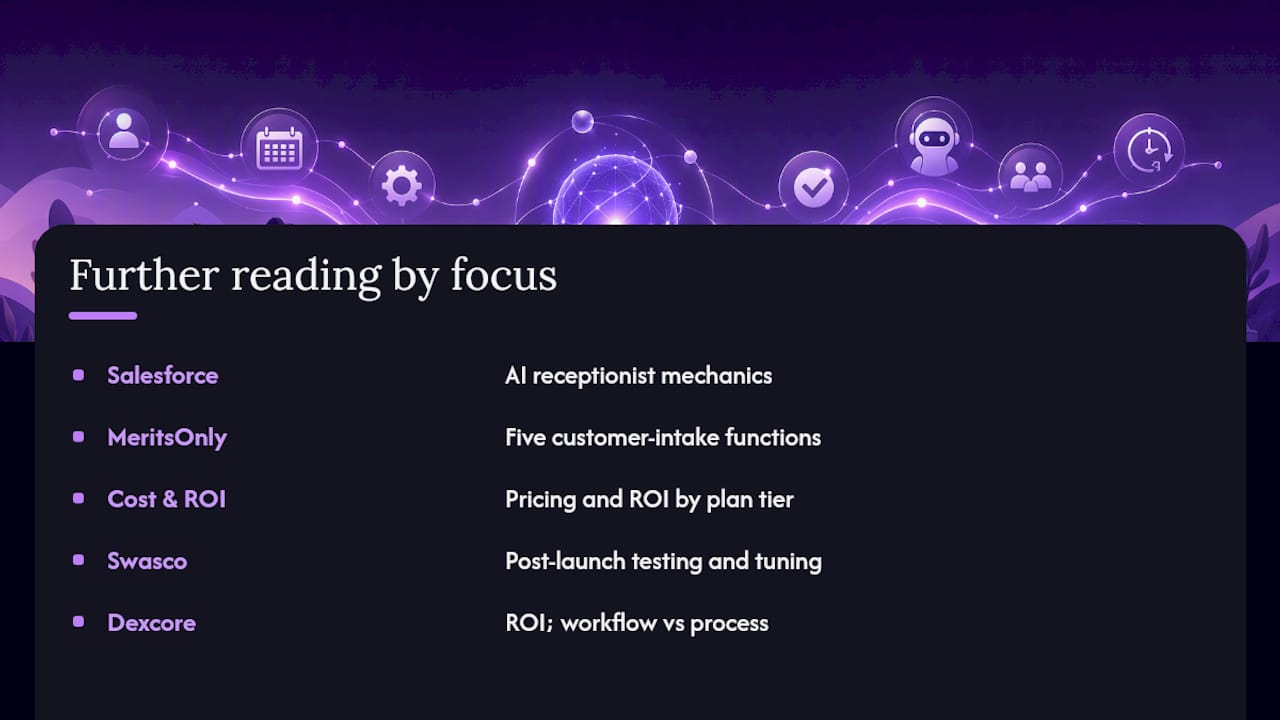
For implementation and tuning guidance after launch, Swasco's guide to the AI onboarding process walks through testing and refinement. Dexcoretechnologies also has an internal breakdown of expected ROI from automation and a comparison of workflow versus process automation for teams deciding where to start.
Sources
- AI receptionist for growing businesses
- Customer Intake Automation: Form Submit to Onboarded Client | MeritsOnly
- AI Voice Receptionist Cost & ROI for Service Businesses 2026