
Appointment booking automation is software and workflows that book, confirm, and manage client appointments automatically, without anyone on your team touching a phone or calendar. For Canadian businesses ready to act on this, Dexcoretechnologies offers a 24/7 AI receptionist with real-time calendar sync built specifically for Canadian service businesses, covering everything from clinics to contractors to restaurants.
Pro Tip: Require a deposit at booking for new clients. It is the single fastest way to cut no-shows before you change anything else in your workflow.
Key takeaways
Appointment booking automation recovers after-hours bookings, cuts no-shows through multi-touch reminders and deposits, and saves staff up to 8–12 hours per week in manual scheduling work.
| Point | Details |
|---|---|
| After-hours volume is significant | Vendor data suggests a significant portion of bookings happen outside business hours; automation captures them. |
| Deposits and reminders cut no-shows | Three-touch reminder sequences plus payment-at-booking can push no-show rates very low, per vendor-reported figures. |
| PIPEDA compliance is non-negotiable | Ask every vendor where Canadian client data is stored and how cross-border transfers are handled. |
| Start with one workflow, then expand | Pilot one service type, measure no-show rate and after-hours capture, then roll out to the full operation. |
| Dexcoretechnologies is the recommended option | A managed 24/7 AI receptionist with calendar sync, SMS reminders, and Canadian-specific onboarding and compliance posture. |
Table of Contents
- What does appointment booking automation actually do?
- Which features should you prioritise in appointment scheduling automation?
- What business benefits can Canadian SMBs realistically expect?
- What automation workflows are worth building first?
- How do integrations, payments, and Canadian privacy rules fit together?
- How do you choose the right solution and implement it?
- How does Dexcoretechnologies work for Canadian businesses?
- When should you DIY appointment automation vs. hire a managed provider?
- Dexcoretechnologies: the Canada-ready option for this reader
- Sources
What does appointment booking automation actually do?
At its core, automated appointment booking replaces the back-and-forth of phone calls, voicemails, and manual calendar entries with a system that handles the entire scheduling lifecycle on its own. Zapier's automation documentation describes this as auto-generating tailored booking links, updating calendars and CRMs, and triggering reminders without human input.
The functions a well-configured system handles end-to-end:
- Real-time availability checks so clients only see open slots
- Booking page capture collecting name, contact, service type, and intake details
- Instant confirmation sent by email or SMS the moment a booking is made
- Automated reminders at 48 hours, 24 hours, and the morning of the appointment
- Rescheduling and cancellation flows that free the slot and notify staff
- After-hours booking so a client at 10 PM on a Sunday can still lock in a time
The lifecycle in plain terms: a client triggers the flow by clicking a booking link or calling your number. The system checks availability, collects their details, confirms the slot, and queues the reminder sequence. If they cancel, the slot reopens automatically and a recovery message can go out to a waitlist. Your team sees a clean, updated calendar in the morning.
Which features should you prioritise in appointment scheduling automation?
The must-have list is shorter than most vendors want you to believe. According to Zapier's scheduling app roundup, the features that consistently separate useful tools from expensive ones are calendar sync, two-way confirmations, intake forms, buffer rules, staff routing, and payment or deposit support.
Must-haves for most Canadian SMBs:
- Two-way calendar sync with Google Calendar or Outlook so double-bookings are impossible
- Customisable intake forms to capture what you need before the appointment
- Buffer time rules between appointments to prevent back-to-back overruns
- Staff or provider routing so the right person gets the right booking
- SMS and email confirmations sent automatically at booking and before the appointment
- Deposit or payment collection at the time of booking
Nice-to-haves worth checking once the basics are solid: video conferencing links auto-added to confirmations, waitlist management, and multi-location support.
Two features that Canadian buyers often underweight: bilingual support (English and French) and mobile access. If you serve clients in Québec or operate in a bilingual market, a booking page that only renders in English creates friction. Mobile access matters because most owners manage their schedule from a phone, not a desktop. Check that the staff-facing app is genuinely functional on iOS and Android, not just a mobile-responsive web page.
On security: confirm that the vendor stores data in Canada or can demonstrate PIPEDA-compliant data handling. This is not a checkbox item; it is a legal obligation for businesses collecting personal information from Canadian clients.
What business benefits can Canadian SMBs realistically expect?
The four outcomes that show up consistently are: staff time recovered, fewer no-shows, more bookings captured after hours, and better lead data from intake forms.
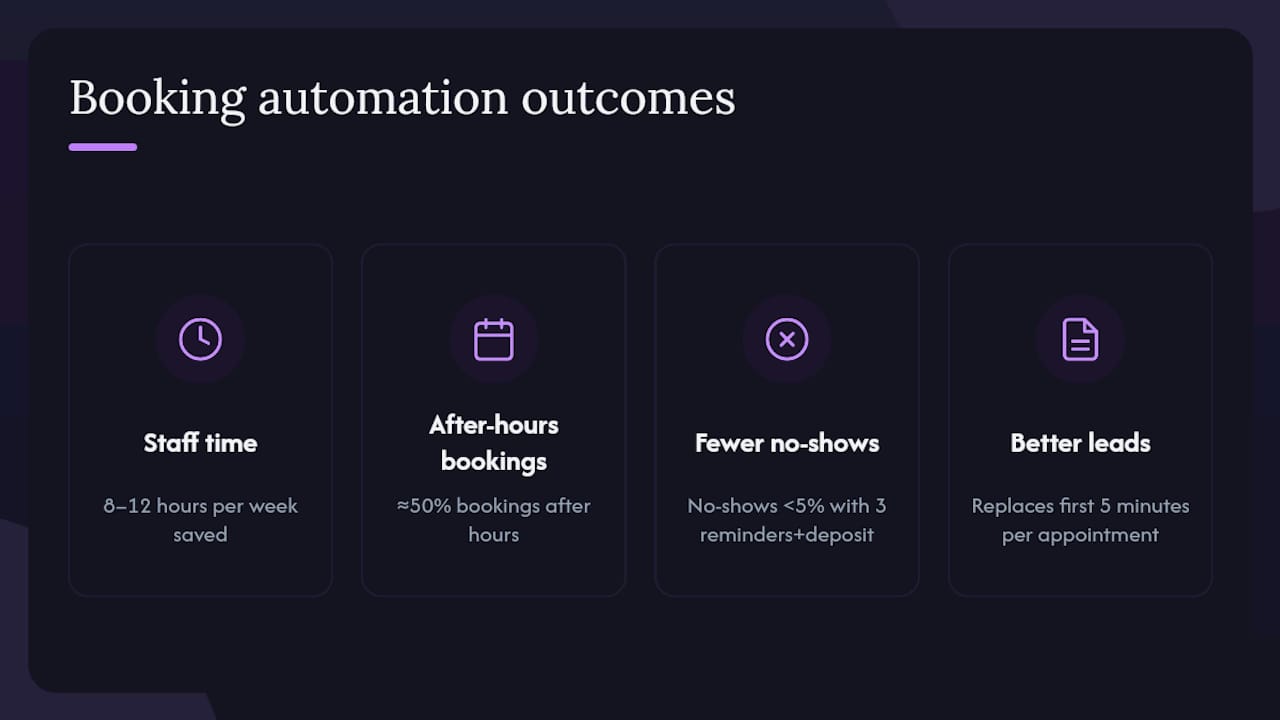
Sentie's scheduling automation research estimates that businesses spend 8–12 hours per week coordinating appointments manually. That is a full working day, every week, spent on tasks a configured system handles in seconds.
The no-show problem is where the financial case gets concrete. Schedly's vendor data reports that three-touch reminder sequences combined with payment-at-booking can reduce no-shows to under 5% in their examples. These are vendor-reported figures, not universal guarantees, but the mechanism is sound: a client who has paid a deposit and received three reminders has far more friction to overcome before ghosting you. Schedly also reports that a substantial portion of bookings happen outside traditional business hours, which means a business without after-hours self-service booking is likely missing a significant part of its potential volume.
Stat to know: Vendor-reported data suggests three-touch reminders plus deposit collection can push no-show rates below 5%, while nearly half of all bookings are made outside of regular business hours.
Intake forms add a less obvious benefit: they replace the first five minutes of every appointment with pre-collected information. A clinic that captures health history before a visit, or a contractor that collects job-site details before a quote call, arrives prepared. That efficiency compounds across hundreds of appointments per year.
What automation workflows are worth building first?
The five workflow categories that deliver the fastest return for most service businesses:
- New booking flow: Trigger: client selects a slot. Logic: check availability, collect intake, charge deposit. Actions: confirm by SMS and email, update calendar, notify staff. Outcome: zero manual entry, client confirmed in under 60 seconds.
- Reschedule flow: Trigger: client clicks reschedule link. Logic: free original slot, show next available times. Actions: confirm new slot, update all parties. Outcome: slot recovered and re-filled without a phone call.
- No-show recovery: Trigger: appointment passes without check-in. Logic: flag as no-show after a set window. Actions: send a re-booking offer with a new link. Outcome: some percentage of lost appointments recovered automatically.
- After-hours booking: Trigger: inbound call or web visit outside business hours. Logic: AI receptionist answers, captures intent, offers booking link or books directly. Actions: confirm slot, log lead details to CRM. Outcome: bookings captured while your team is offline.
- High-value booking routing: Trigger: client selects a premium service or flags a specific need in the intake form. Logic: route to senior staff or a specific location. Actions: confirm with personalised message, notify the assigned provider. Outcome: right client, right person, every time.
Pro Tip: Before rolling any workflow out to your full client list, run it with 10–15 internal test bookings. Measure confirmation delivery rate, calendar accuracy, and whether the intake data lands cleanly in your CRM. Fix the gaps before your clients find them.
How do integrations, payments, and Canadian privacy rules fit together?
The integrations worth prioritising first are Google Calendar or Outlook (non-negotiable for calendar accuracy), your CRM, an SMS gateway, and a payment processor. Video conferencing links, POS connections, and dispatch tools come next depending on your industry.
Calendly's scheduling documentation and Zoho Bookings both demonstrate how calendar sync, CRM updates, and payment workflows can run as a single connected flow. The practical effect: a booking creates a calendar event, logs the client in your CRM, charges the deposit, and queues the reminder sequence without anyone touching four separate systems.
On payments, the decision is simpler than it looks. Requiring full payment at booking maximises commitment but can reduce conversion for high-ticket services. Refund policies should be stated clearly on the booking page; ambiguity creates disputes.
Canadian privacy considerations are not optional. PIPEDA requires that businesses collecting personal information from Canadian clients have a lawful purpose, obtain meaningful consent, and protect that data appropriately. When evaluating a scheduling vendor, ask directly: where is client data stored? Is it in Canada, or does it cross into U.S. servers? Cross-border transfers are permitted under PIPEDA but require safeguards, and some provincial health privacy laws (like Ontario's PHIPA or Québec's Law 25) impose stricter requirements. For bilingual markets, confirm the booking page, confirmation emails, and SMS messages can be delivered in both English and French.
How do you choose the right solution and implement it?
Three decision priorities cut through the feature noise for most SMBs: fit for your actual workflow, integration depth with the tools you already use, and predictable support and cost.
Questions to ask any vendor before signing:
- Where is client data stored, and how do you demonstrate PIPEDA compliance?
- Do you offer bilingual booking pages and communications in English and French?
- What is the typical onboarding timeline, and is setup support included?
- Do you offer webhooks or an open API for custom integrations?
- Is live support available during Canadian business hours, and in which languages?
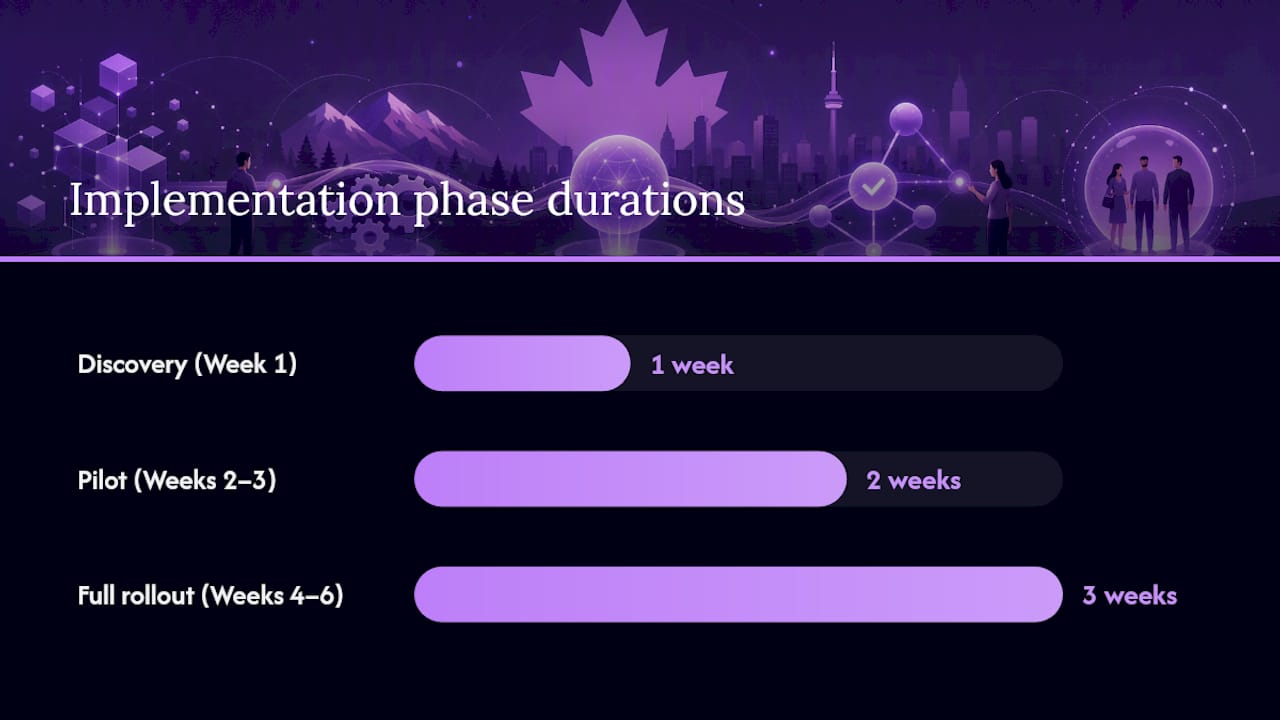
Implementation timeline:
| Phase | Duration | Key activities |
|---|---|---|
| Discovery | Week 1 | Map current booking workflow, identify integration points, define intake fields |
| Pilot | Weeks 2–3 | Configure one service type, run test bookings, verify calendar and CRM sync |
| Full rollout | Weeks 4–6 | Activate all service types, train staff, launch client-facing booking page |
| Optimise | Ongoing | Review no-show rate, after-hours capture, and reminder open rates monthly |
Rollout checklist:
- Audit your current booking volume and no-show rate as a baseline.
- Choose one service type or location for the pilot.
- Connect your calendar and CRM before going live.
- Set up your reminder sequence (48-hour, 24-hour, day-of).
- Configure deposit or payment collection for new clients.
- Test the full flow end-to-end before sharing the booking link.
- Measure results after 30 days and adjust reminder timing or deposit amount.
On cost: most appointment booking software runs on subscription tiers, typically ranging from entry-level self-serve plans to higher-tier plans that include API access, multi-location support, and dedicated onboarding. Setup fees are common for managed or enterprise configurations. Factor in the cost of professional services if your workflow is complex; a poorly configured system costs more in staff time than a properly scoped implementation.
How does Dexcoretechnologies work for Canadian businesses?
Dexcoretechnologies is built for Canadian service businesses that cannot afford to miss a call or lose a booking to a voicemail. The AI receptionist platform answers calls 24/7, books appointments in real time, syncs with your calendar and CRM, and sends SMS confirmations and reminders without any staff involvement.
The integration stack covers the tools Canadian SMBs actually use: Google Calendar, Outlook, major CRM platforms, SMS gateways, POS systems for restaurants and retail, and dispatch tools for contractors. For restaurants specifically, the restaurant AI receptionist connects directly with reservation and POS workflows. Clinics and medical offices can find vertical-specific guidance in Dexcoretechnologies's medical office AI receptionist resource.
Onboarding follows a structured process: workflow discovery, system configuration, integration testing, and a go-live review with support included. These are brand-reported figures; your actual results will depend on your current booking volume, no-show rate, and how completely you configure the automation workflows.
What the data points to: Vendor-reported figures from Schedly suggest that after-hours capture and multi-touch reminders are the two highest-impact levers in appointment automation. Dexcoretechnologies addresses both through its 24/7 AI call answering and SMS confirmation workflows.
For Canadian buyers, data residency and bilingual UX are decision drivers that go beyond the standard feature checklist. Dexcoretechnologies is designed with PIPEDA-compliance posture and French-language support in mind, which matters for businesses operating in Québec or serving bilingual client bases.
When should you DIY appointment automation vs. hire a managed provider?
DIY configuration makes sense when your booking workflow is simple: one location, one or two service types, a small team, and clients who book primarily online. A self-serve scheduling tool with calendar sync and a reminder sequence is something most operations managers can configure in a few hours.
Managed services like Dexcoretechnologies make more sense when the complexity goes up: multi-location operations, after-hours phone coverage, complex routing rules, or industries where a missed call is a lost client. The trade-off is real. DIY is cheaper upfront and gives you full control, but the support burden lands on your team. A managed provider handles configuration, integration, and ongoing support, which means faster rollout and fewer gaps when something breaks at 9 PM on a Friday.
The self-assessment is straightforward: if your biggest booking problem is a phone that rings after hours with no one to answer it, a managed AI receptionist solves that in a way no self-serve booking page can. If your problem is purely online booking friction, a lighter tool may be enough.
Dexcoretechnologies: the Canada-ready option for this reader
Missed calls are not a minor inconvenience for Canadian service businesses. They are lost revenue, and the math compounds fast when nearly half of all bookings happen outside business hours.

Dexcoretechnologies gives you 24/7 AI call answering, real-time appointment booking, calendar and CRM sync, and automated SMS reminders in a single managed service built for Canadian businesses. No receptionist required. No after-hours voicemail black hole. The system captures the booking, confirms it, and reminds the client, whether the call comes in at 2 PM Tuesday or 11 PM Sunday.
It fits restaurants, clinics, contractors, and any service business where a missed call costs real money. Onboarding is structured and supported, PIPEDA-compliance posture is built in, and French-language support is available for bilingual markets.
Book a demo with Dexcoretechnologies and see the workflow configured for your business before you commit.