
Yes, you can move off your current answering service without losing calls or bookings, but only if you sequence it right. Document your scripts, escalation rules, and phone number ownership before anything else, then run your old and new systems side by side for at least a week. Businesses that skip that overlap are the ones who lose leads. DEXCORE Technologies is one direct route to the other side.
TL;DR:
- Overlapping the old and new systems for at least one week is crucial to prevent lost calls during migration.
- Businesses with high call volume and repetitive requests tend to succeed with full automation, while complex calls require human involvement.
- Proper documentation of scripts, escalation rules, and phone ownership, along with a staged testing process, is essential for a smooth switch.
- Switches are most successful when initiated during low-volume periods with thorough pre-test scenarios and ongoing 30-day monitoring.
- Choosing an AI receptionist like DEXCORE can improve answer speed, increase bookings, and free staff for higher-value tasks, provided onboarding is handled carefully.
Table of Contents
- What Are Your Options When Migrating From An Answering Service?
- What Changes When You Leave A Traditional Answering Service?
- How Do You Actually Execute The Switch?
- What Should Your Onboarding Checklist Cover?
- What We've Learned Helping Businesses Through This Switch
- How DEXCORE Handles Your Migration From Start To Finish
- Sources
What Are Your Options When Migrating From An Answering Service?
Most businesses choosing what comes next fall into three camps: staying with live human answering, blending human and automated coverage, or switching entirely to an AI receptionist. Each handles the same core jobs differently, coverage, booking, and escalation, and the right pick depends on call volume and how often calls get complicated.
Live answering services route every call to a trained human agent, day or night. They're strong on judgment calls and nuanced customer situations but cost more per call and can vary in quality between shifts.
Hybrid setups pair automated intake with human backup for exceptions. An AI system answers, books, and confirms straightforward requests, then flags anything unusual to a live person.
Full AI receptionists handle calls, scheduling, and message routing around the clock with no live agent involved unless you build in an escalation path.
Which businesses pick what:
- Clinics with strict intake scripts and compliance needs often start hybrid, keeping a human for sensitive calls
- Restaurants and contractors with high call volume and repetitive requests (bookings, hours, quotes) lean toward full automation
- Multi-location service businesses often choose hybrid until they trust the automated system's escalation logic
- Solo operators and small teams frequently jump straight to full AI once they see the labour hours it frees up
If most of your calls are the same five questions asked a hundred different ways, automation earns its keep fast. If your calls trend toward complex, emotional, or high-stakes conversations, keep a human in the loop longer.
What Changes When You Leave A Traditional Answering Service?
The upside shows up fast in three places: answer speed, bookings recovered, and labour hours reclaimed. AI receptionists typically answer on the first ring, every time, which matters more than it sounds. A missed call at 7 p.m. on a Friday is a lost booking with a live service that's short-staffed; with automation, it's just another call answered.
The trade worth understanding: Automation absorbs the repetitive 80% of your call volume, but it doesn't replace judgment. Industry reporting from 2025 notes AI is increasingly handling routine tasks like message taking and basic scheduling, while human staff stay focused on complex or high-value interactions. That split isn't a limitation. It's the design.
Where humans still matter:
- Emotionally charged calls (complaints, cancellations tied to bad experiences)
- Highly custom requests that don't fit a script
- VIP or high-value clients who expect a familiar voice
- Rare edge cases your automation hasn't been trained on yet
Set expectations before go-live: fewer missed calls, faster response times, lower per-call labour cost. Not fewer difficult conversations. Those still need a person.
How Do You Actually Execute The Switch?
A rushed switch is how businesses lose calls. A staged transition protocol covering four to six weeks from decision to go-live, with a full week of parallel testing beforehand, is the standard most experienced providers recommend. Here's how that breaks down.
1. Set your success metrics first. Decide what "better" looks like before you start: target answer speed (first ring vs. under 10 seconds), booking recovery rate, and how many labour hours you expect to reclaim. Without a number, you can't tell if the switch worked.
2. Document everything about your current setup. Pull your call scripts, escalation rules, on-call schedules, phone logins, and every number in use, including secondary lines. Best practices for switching providers consistently point to documentation gaps as the top cause of dropped calls during migration.
3. Build a weekly onboarding schedule. Week 1 to 2: documentation and system setup with your new provider. Week 3: scripts and escalation logic get built and tested internally. Week 4: staff training and soft-launch prep. Week 5: parallel run. Week 6: go-live and monitoring.
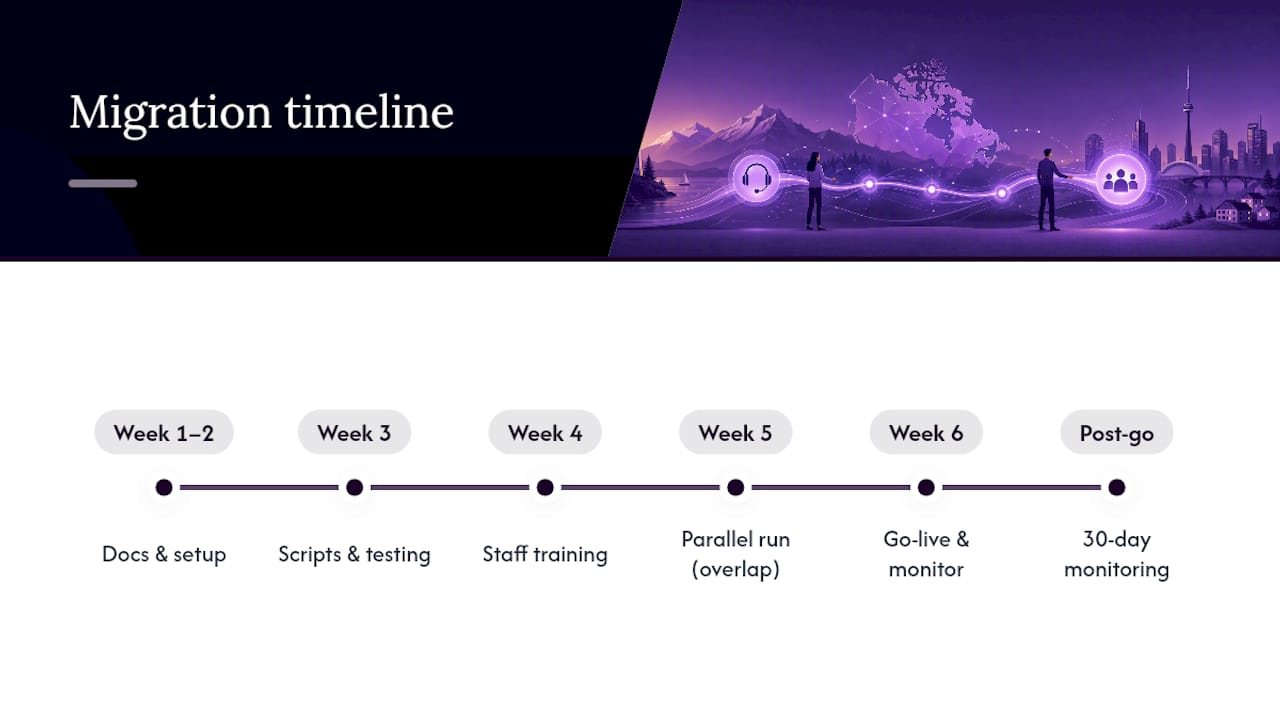
4. Run both systems in parallel. Overlap the old and new service for at least a week. Route a portion of calls to the new system, keep the old one live as a safety net, and compare how each handles the same call types.
5. Handle your phone numbers deliberately. Most transitions are simple call forwarding changes, not full number ports. Porting is only required when your old provider owns the number outright, and that process takes longer, so confirm ownership early and start any port request well before your target go-live date.
6. Flip during a low-volume window. Choose your quietest business hours for the actual cutover. Make a live test call yourself, notify staff the switch is happening, and watch the first few real calls closely.
7. Monitor the first 30 days hard. Track answer speed, calls handled, and bookings recovered weekly. Don't cancel the old service until those numbers hold steady for at least two to three weeks.
Pro Tip: A short overlap costs you a week of double billing. A botched cutover costs you the calls you never see again, and you'll never know how many. The math strongly favours the overlap.
What Should Your Onboarding Checklist Cover?
Hand your new provider a document, not a conversation. Include:
- Every call script currently in use, word for word
- Escalation rules: who gets called, in what order, for what situation
- FAQs your current answering service already handles
- VIP or repeat-caller handling instructions
- Message delivery preferences (text, email, CRM entry, or all three)
- A list of every active phone number and who technically owns each one
Then test before you trust it. Run these scenarios end to end:
- A standard booking request during business hours
- An after-hours call requiring escalation
- A complaint or cancellation call
- A message that needs to reach a specific team member within minutes
- A call to a secondary or overflow number
Get sign-off from whoever owns customer experience and whoever owns operations before flipping the switch, and assign one person to own the first-30-day monitoring so metrics don't fall through the cracks between teams.
What We've Learned Helping Businesses Through This Switch
The businesses that struggle with automation almost never have a technology problem. They have an onboarding problem. Escalation rules get written down loosely, FAQs get handed over incomplete, and then the automation just repeats whatever gaps already existed in the old process. Good onboarding turns institutional knowledge into working logic. Sloppy onboarding automates the same mistakes faster.

There are AI receptionist solutions that provide 24/7 coverage with real-time appointment booking and workflow automation to capture customer details and route calls automatically. Businesses using this kind of automation have reported very high ROI, which tracks with what disciplined migrations tend to produce: fewer missed calls, faster bookings, and staff freed up for work that actually needs a human.
The mistake we see most is treating go-live as the finish line instead of day one of a 30-day test.
— James
How DEXCORE Handles Your Migration From Start To Finish
Every step in the plan above, documenting scripts, running a parallel test, handling number forwarding, tracking your first 30 days, reflects an advised approach to onboarding new clients. You're not building a migration process from scratch and hoping it holds.

DEXCORE's AI receptionist for service businesses answers calls around the clock, books appointments in real time, and routes anything unusual to the right person on your team, so nothing falls through during or after the switch. Restaurants get industry-specific booking workflows built for high call volume and repeat customers. Contractors and clinics get the same escalation logic without the guesswork of building it themselves.
If you're ready to see what a documented, tested migration looks like before you commit to a date, book a demo with DEXCORE and walk through your current call flows with someone who's set up this exact transition before.
Sources
- AP News: reporting on AI in customer service (2025)
- Transport BPO: Best practices for switching answering service providers
- Answering365: Switching answering services and porting numbers
- A Message Center: How to switch answering services without losing a call