
A working call-to-dispatch integration does one thing without fail: every incoming call either creates a new job or updates an existing one, attaches caller context automatically, and triggers the right notification to the right technician. That's the whole job. If your system does less than that, it's just a phone line with extra steps.
You don't need a six-month project to get the basics live. Within 24 to 72 hours, you can have:
- Phone number mapping tied to specific service lines or territories
- Caller ID matching against existing customer or account records
- An API/webhook or CTI connector pushing call events into your dispatch platform
- Job creation mapping so calls populate the right fields automatically
- Notification rules that alert the right technician or on-call team member
Everything downstream, from routing logic to SLA tagging, builds on those five pieces.
Key Takeaways
A working call-to-dispatch integration turns every incoming call into a job record with attached context, correct routing, and an automatic notification, without manual re-entry.
| Point | Details |
|---|---|
| Start with five components | Number mapping, caller ID matching, an API/webhook or CTI connector, job mapping, and notifications. |
| Match the technical approach to your team | Use CTI for desk-based dispatch and webhooks for mobile technicians rather than forcing one method everywhere. |
| Build routing around account type | Separate after-hours, commercial, residential, and on-call rules with a fallback for missed escalations. |
| Track outcomes, not just uptime | Measure missed-call-to-lead capture, time-to-dispatch, and job creation rate at 30, 60, and 90 days. |
| Dexcoretechnologies handles it end to end | Its AI receptionist answers 24/7, syncs with CRM/dispatch/POS, and includes onboarding and pilot support. |
Table of Contents
- Why integrate calls with dispatch in the first place?
- What are the main ways to connect phone systems and dispatch?
- How should routing logic handle different account types?
- What call data should flow into your dispatch system?
- What does a realistic implementation checklist look like?
- Which KPIs actually tell you the integration is working?
- What workflow templates work for common service businesses?
- How does Dexcoretechnologies handle call-to-dispatch integration?
- What actually goes wrong when businesses try this themselves?
- Ready to put your call-to-dispatch system into production?
- Further reading and implementation resources
- Frequently asked questions
Why integrate calls with dispatch in the first place?
The business case is blunt: unanswered or mishandled calls are unbilled jobs. Businesses that connect phone systems directly to dispatch typically see fewer missed jobs, faster time-to-dispatch, and noticeably less manual re-entry of customer details by staff who'd rather be scheduling than typing.
Statistic callout: Response speed is the differentiator. Fieldproxy's HVAC dispatch blueprint found that AI-driven call triage and automated technician matching helped top-performing companies respond significantly faster than manual intake processes.
That speed shows up in three places at once:
- Higher lead capture rate, since fewer calls fall through to voicemail and disappear
- Better technician utilisation, because assignment happens the moment a job is confirmed
- A noticeably smoother customer experience, since callers get confirmation instead of silence
What are the main ways to connect phone systems and dispatch?
There isn't one correct method. There are four common ones, and the right choice depends on your existing phone stack, your dispatch platform's flexibility, and how fast you need to move.
API/webhook integration pushes call events (start, answer, end, voicemail) from your phone system into your dispatch platform in real time. It's fast to build if both systems expose modern APIs, and it scales well, but data fidelity depends entirely on what fields the API exposes.
CTI (computer telephony integration) gives dispatchers a screen-pop with caller and account info the instant the phone rings, plus click-to-dial from job records. It's the best fit for office-based dispatch teams working from a single console.
SIP trunking or a SIP gateway hands you low-level call control, useful when you need custom IVR logic or want to route calls before they ever hit a human. It's more powerful but comes with more security and maintenance overhead.
Native FSM integrations (built directly into your field service management platform) are the least flexible but the fastest to deploy if your dispatch vendor already supports your phone provider.
- API/webhook: fast to deploy, moderate data fidelity, lower cost
- CTI: strong for desk-based teams, higher setup cost, some vendor lock-in
- SIP/VoIP: maximum control, highest security complexity
- Native FSM: quickest path if your vendor already supports it
Pro Tip: If half your team dispatches from a desk and half from a truck, don't force one method. Pair CTI for the office console with a webhook feed for mobile technicians. Trying to make one connector serve both usually means neither works well.
How should routing logic handle different account types?
This is where most integrations quietly fail. Getting calls into the system is the easy part. Routing them correctly once they're there is what separates a functioning dispatch system from a glorified voicemail box. Operations teams frequently underestimate account-specific rules like separating commercial from residential routing or building true on-call escalation, and that gap is usually what causes missed emergency work.

Build routing around a handful of core dimensions: after-hours status, on-call rotation, commercial versus residential accounts, territory or geography, technician skills or certifications, and VIP or contract-tier customers.
Practical rule examples worth copying:
- After-hours emergency calls override standard queues and ring the on-call technician directly
- Commercial accounts with service contracts skip general queues and route to a dedicated line
- Dynamic routing checks technician GPS and current job load before assigning new work
- Unmatched or ambiguous calls fall back to a general queue rather than getting dropped
Every rule needs a fallback. If the on-call technician doesn't answer within a set window, escalate to a supervisor or a secondary tech automatically, don't just let the call die.
Pro Tip: Before go-live, run real call scenarios through the system, including messy ones like a residential caller claiming to be commercial or an after-hours call during a shift change. That's where routing logic breaks first.
What call data should flow into your dispatch system?
Keep the data model tight but complete. At minimum, pass through caller ID, the matched account ID, call timestamp, a transcribed or summarized reason for the call, a recording link with a consent flag, and a call outcome tag (booked, missed, transferred, voicemail).
Security basics aren't optional here. Use authenticated APIs, enforce TLS on every webhook, rotate API keys on a schedule, and scope access tokens to least privilege so a compromised integration doesn't expose your whole dispatch platform.
On the privacy side, Canadian businesses recording calls need documented consent, and recordings should be stored with the same security expectations PIPEDA sets for personal information generally. Check with legal counsel on your specific consent language and retention policy.
- Caller ID and matched account ID
- Timestamp and call reason (transcribed where possible)
- Recording link plus consent flag
- Call outcome tag for reporting
Unlogged calls are the quiet leak in most operations: a missed call that never becomes a lead simply vanishes from your pipeline with no record it ever happened.
What does a realistic implementation checklist look like?
Before touching any configuration, do the groundwork: map every phone number to its service line, list the required fields your dispatch system expects on a job record, gather your SIP or API credentials, and document current on-call schedules and escalation paths.
- Pre-work: number mapping, field inventory, credential collection, on-call schedule audit
- Configuration: set up the telephony connector, map call fields to your job schema, build routing rules, configure notification triggers
- Testing: run unit tests on individual field mappings, then full end-to-end dry runs, then a pilot in one territory or shift
- Launch and support: define a cutover plan, stand up a monitoring dashboard, set rollback criteria, and schedule staff training
A quick deploy using a native FSM connector or a single webhook can be live in 1 to 3 days. A full rollout with custom routing, multiple integrations, and staff training across departments typically runs 2 to 6 weeks. The automated dispatch software approach to mapping caller data into job records is worth reviewing before you lock in your field schema.
Which KPIs actually tell you the integration is working?
Track a short list, not a dashboard nobody checks. The core metrics: missed calls captured as leads, time-to-dispatch measured from the call itself, percentage of calls that generate a job record, any shift in first-time fix rate, average handling time, and customer no-show reduction.
Set targets in stages. By day 30, confirm the basic pipeline works and calls are landing as jobs. By day 60, look for measurable time-to-dispatch improvement. By day 90, expect no-show and repeat-call rates to drop.
- Voicemails should convert automatically into follow-up tasks, not sit in a queue
- SMS confirmations after booking cut down on "just checking" repeat calls
What workflow templates work for common service businesses?
Templates turn abstract routing rules into something a new hire can follow on day one. Each one maps a trigger to an action, an owner, and a follow-up step.
| Trigger event | Job type | Priority | Required fields | Default assignee | Next action |
|---|---|---|---|---|---|
| After-hours HVAC no-heat call | Emergency repair | High | Address, account ID, issue description | On-call technician | SMS + push notification |
| Restaurant reservation call | Booking | Standard | Party size, date, time, contact number | Front-of-house system | Automated confirmation SMS |
| Contractor emergency call (burst pipe, etc.) | Emergency dispatch | High | Address, account match, hazard flag | Nearest available tech | Call + push notification |
| Routine maintenance request | Scheduled job | Standard | Account ID, preferred window | Scheduling queue | Email confirmation |
A restaurant booking call needs almost no routing complexity; it just needs fast confirmation. A contractor emergency call needs the opposite: immediate escalation and a hazard flag that jumps the queue.
Pro Tip: Version your templates. Run a new routing rule in one territory for two weeks before pushing it everywhere. It's much easier to catch a bad assumption when it only affects one region.
How does Dexcoretechnologies handle call-to-dispatch integration?
Dexcoretechnologies builds this integration as a core part of its 24/7 AI receptionist platform, not as a bolted-on add-on. The system answers calls around the clock, books appointments in real time, and pushes structured job data directly into CRM, calendar, dispatch, and POS systems without a human relay step in between.
Onboarding follows a straightforward sequence: initial setup and workflow design, phone number mapping to your existing lines, a pilot period on a limited territory or shift, then full rollout with ongoing support. Restaurant clients get reservation-specific handling through the restaurant AI receptionist, while contractors and field service businesses get dispatch-specific routing through the contractor-focused platform.
Businesses using automated call answering and workflow automation together, rather than a bare voice assistant, have reported ROI as high as 942% by capturing leads that used to go to voicemail and disappear.
- 24/7 answering with no missed-call gap during nights or holidays
- Job creation and CRM/dispatch/calendar/POS sync in one workflow
- SMS confirmations and reminders sent automatically after booking
- Configurable routing rules built during onboarding, not left to defaults
What actually goes wrong when businesses try this themselves?
The failures I see repeated most often aren't technical, they're organizational. Incomplete field mapping is the classic one: a team gets calls flowing into jobs but forgets to map priority or account type, so everything lands in one undifferentiated queue. Weak fallback rules are a close second. Poor staff training finishes the trio.
The fix isn't more technology, it's discipline. Limit your initial scope to one territory or shift, run live role-play tests with real call scenarios before cutover, and assign one person to own routing rules so decisions don't get made by committee.
Pro Tip: Technicians who feel blindsided by a new system resist it. Involve two or three field staff in testing before launch, and let their feedback shape the final routing rules.
Ready to put your call-to-dispatch system into production?
Building this yourself means stitching together a CTI vendor, a webhook developer, and your dispatch platform's API docs, then maintaining all three. Dexcoretechnologies collapses that into one subscription: a 24/7 AI receptionist that answers, books, and dispatches without you hiring a developer or managing three separate contracts.

Getting started is straightforward. To speed up setup, Dexcoretechnologies will ask for your existing phone numbers, any dispatch or job-management API documentation you already have, sample job fields you want populated automatically, and your current on-call schedules. From there, onboarding includes workflow design and professional setup support, not a self-serve dashboard you're left to figure out alone.
If you run a restaurant, start with the restaurant reservation platform. If you're a contractor or field service operation, the contractor and dispatch page walks through pilot options. Either way, the next step is the same: request a pilot and get your first call routed into dispatch this week.
Further reading and implementation resources
For technical background on connecting phone systems to dispatch platforms, the automated dispatch software guide covers mapping caller data into job records in more depth. Operations teams dealing specifically with missed calls should review missed call handling solutions for practical voicemail-to-task conversion patterns.
For privacy obligations around call recording and consent, the PIPEDA overview from the Office of the Privacy Commissioner of Canada is the primary reference.
For a pilot or demo:
- Service business AI receptionist and dispatch integration
- Contractor AI dispatch and workflow platform
- Restaurant reservation and booking automation
Frequently asked questions
How long does it take to integrate calls with dispatch? A quick deploy using a webhook or native connector can be live in 1 to 3 days. A full rollout with custom routing rules and staff training across multiple territories usually takes 2 to 6 weeks.
Do I need a developer to connect my phone system to dispatch? Not necessarily. Native FSM integrations and managed platforms like Dexcoretechnologies handle the connector and field mapping during onboarding, so you avoid custom development work entirely.
What's the difference between CTI and API/webhook integration? CTI gives dispatchers a screen-pop and click-to-dial from a desk console, ideal for office-based teams. API/webhook integration pushes call events into your dispatch system automatically, which suits mobile or distributed technician teams better.
Is call recording for dispatch integration legal in Canada? Recording calls requires documented consent under PIPEDA expectations for personal information handling. Confirm your specific consent language and retention practices with legal counsel before recording customer calls.
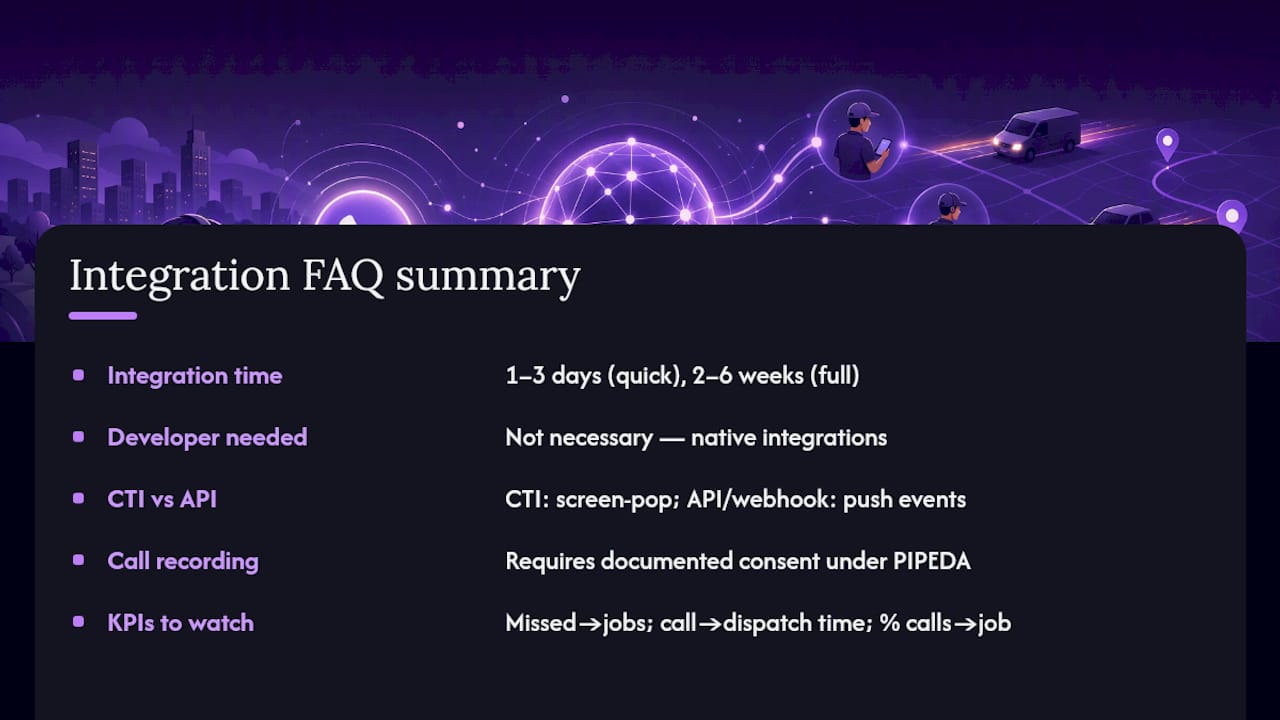
What KPIs show the integration is actually working? Watch missed calls converted into jobs, time from call to dispatch, and the percentage of calls that generate a job record. Improvement in these three within the first 60 days is a strong signal the system is functioning correctly.